Navigating the vast sea of academic literature can be overwhelming without the right assistance. While the search engine itself is powerful, using the best Google Scholar extensions is what transforms a standard search into a professional research workflow. In 2026, these tools have evolved beyond simple citation buttons to include AI-powered reading assistants and seamless library integrations. This guide highlights the essential extensions you need to find, save, and organise your research with maximum efficiency.
What are Google Scholar Extensions?
Google Scholar extensions are browser-based applications that integrate directly with your search experience. They act as a bridge between the broad web and the specific academic data you need. By using these extensions, you can significantly reduce the time spent on administrative tasks such as manual citation entry or hunting for open-access PDFs.
These extensions are designed to:
- Accelerate Discovery: Search for papers while reading a blog post or news article.
- Automate Citations: Export perfectly formatted references to your library.
- Verify Impact: View citation counts and h-index data in real-time.
Official Google Scholar Extensions
Google provides two primary extensions that are essential for any serious academic. These official tools are designed to integrate seamlessly with the search engine and your browser to speed up the discovery and reading process.
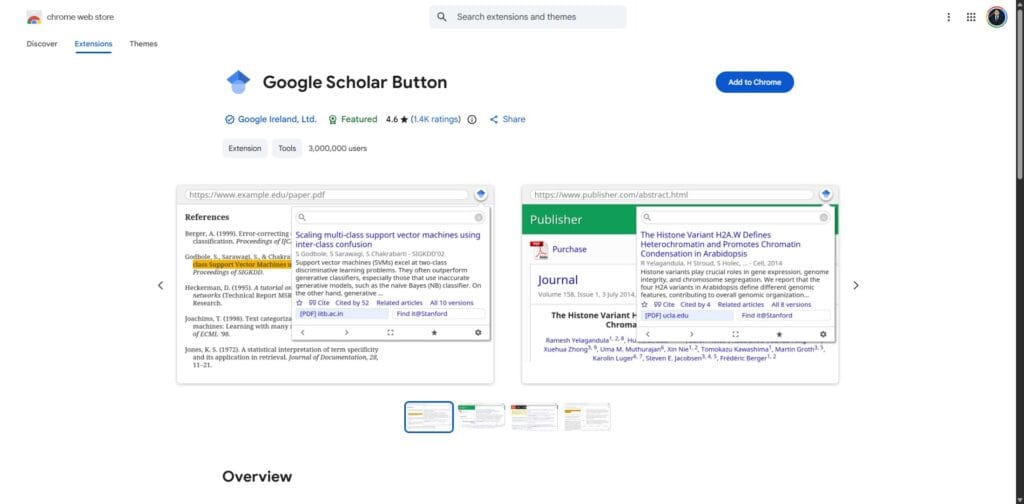
The Google Scholar Button is the most important official extension in this list. It is a free tool available for Chrome, Firefox, and Edge that puts a miniature version of the search engine in your browser toolbar. It allows you to carry the power of academic search with you as you browse news sites, blogs, or other databases.
Key Features and How to Use Them:
- Instant Search: Highlight any text on a webpage and click the button to see the top three related search results in a small popup.
- Quick Citation: Click the “Quote” icon within the popup to copy a citation in MLA, APA, or Chicago format without opening a new tab.
- Full-Text Discovery: The extension will often show a [PDF] link if a free version of the article exists on the web.
To use it effectively, you should pin the extension to your browser bar. When you are reading a paper that mentions a specific theory, highlight the theory name and click the button to find the foundational paper immediately.
2. The Google Scholar PDF Reader
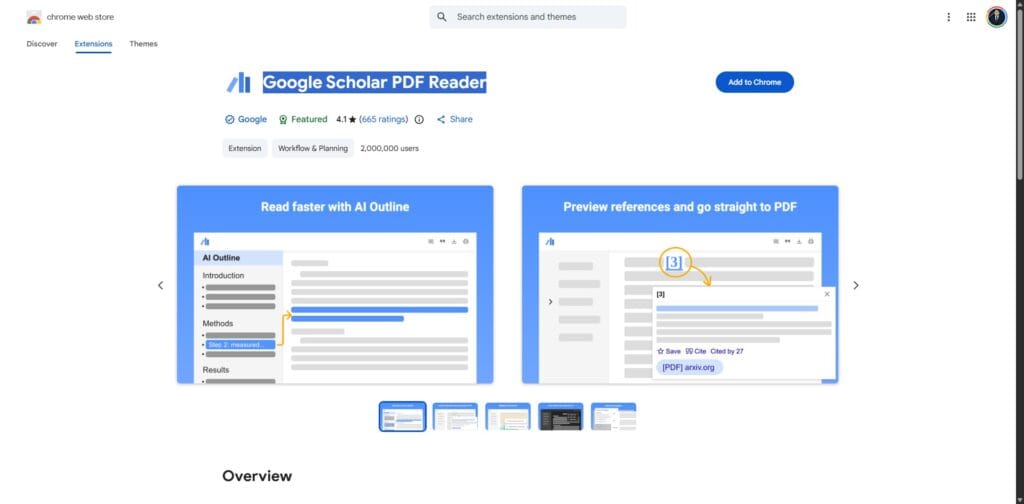
In 2026, the official PDF reader has been updated with powerful AI capabilities. It is built directly into the browser and activates whenever you open a Scholar-indexed document. You can find more details about these specific features in our guide on how to use Google Scholar for research.
This official tool allows you to:
- Navigate via Smart Outlines: Jump to the “Methodology” or “Results” section instantly using an AI-generated table of contents.
- Interactive Citations: Click a citation within the PDF to see its “Cited by” count and save it to your library without leaving the page.
- Saved Annotations: Highlight text and add notes that sync directly to your Google Scholar library.
Other Essential Research Extensions
While not developed by Google, these extensions work alongside your search results to provide deeper insights and AI-powered summaries. They ensure that what’s on your screen is not just a list of titles, but a curated feed of verified data.
SciSpace and Scite.ai Extensions
These two tools have become industry standards for researchers who need to verify the reliability of a paper quickly without manually reading every abstract.
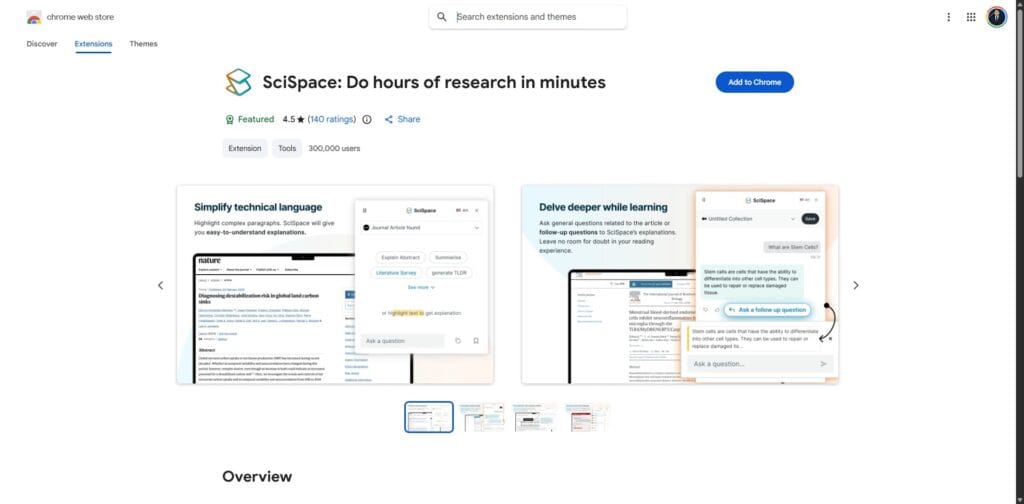
- SciSpace Copilot: This extension adds an AI sidebar to your results page. It provides a one-sentence summary of every paper and allows you to ask technical questions about the data before you even download the file.
- Scite.ai: This extension provides “Smart Citations.” It analyses whether a paper has been supported or contrasted by subsequent studies, which helps you understand the “Scientific Consensus” of a topic at a glance.
Reference Management Extensions
A professional research workflow requires a way to save and categorise your findings. The best Google Scholar extensions for this purpose are the browser connectors for Zotero, Mendeley, and EndNote.
| Extension | Best Feature | Google Scholar Integration |
|---|---|---|
| Zotero Connector | Open-source and free | One-click save for entire search result pages. |
| Mendeley Web Importer | PDF annotation | Directly imports Scholar metadata into your library. |
| EndNote Click | Institutional features | Automatically finds full-text PDFs on results pages. |
Tools for Accessing Research Papers and Bypassing Paywalls
Finding the perfect research paper is only half the battle; the other half is gaining access. While these are not official Google Scholar extensions, several third-party tools and repositories are essential for researchers looking to bypass paywalls by locating authorised open-access versions or connecting directly to university subscriptions.
Unpaywall
This browser extension is a vital tool for any modern researcher. It searches thousands of university repositories and open-access journals in real-time. If it finds a legal version of a paper you are currently viewing, a green “Unlock” icon will appear on the side of your screen. It is a seamless way to ensure you are not paying for content that is already available for free.
LibKey Nomad
LibKey Nomad is particularly powerful if you are affiliated with a university or research organisation. It integrates with your institution’s specific library subscriptions and adds “Download PDF” buttons directly onto search results pages, including Google Scholar. This ensures that you are always using the resources your institution has already paid for, saving you the trouble of logging into separate library portals.
Alternative Repositories: Anna’s Archive and LibGen
For researchers who cannot find a paper through traditional open-access channels, these repositories provide a vast backup of scholarly literature.
- Anna’s Archive: As of early 2026, Anna’s Archive remains the largest mirror of multiple shadow libraries. However, it has faced significant legal pressure and domain suspensions recently, so users must often check its Wikipedia page for current mirrors. It serves as a comprehensive search engine for millions of papers.
- LibGen (Library Genesis): Following major takedowns in early 2026, LibGen has fragmented into several mirrors. It remains a foundational repository for finding older foundational texts and academic books that have not been digitised by modern publishers or are hidden behind expensive legacy paywalls.
Advanced Research Analytics: Publish or Perish
For researchers who need to go deeper into metrics, Publish or Perish is a standalone software tool that uses the Google Scholar API. While it is not a browser extension, it is an essential part of the toolkit for academic evaluation.
It allows you to:
- Analyse Author Impact: Calculate h-index and i10-index values with more granular control.
- Clean Data: Filter out duplicate citations that might be inflating metrics.
- Conduct Bibliometric Research: Export large data sets for analysis in tools like VOSviewer.
Tips for Using Google Scholar Extensions Efficiently
To ensure your browser remains fast and your research remains accurate, follow these best practices:
- Consolidate Your Extensions: Do not install multiple reference managers. Choose one and master its specific browser connector.
- Use Library Links: Always ensure your library links are configured in your Google Scholar settings. This makes extensions like LibKey Nomad much more effective.
- Audit Your Extensions: Every six months, remove extensions that you no longer use. This keeps your browser running smoothly.
- Check for Updates: Academic platforms frequently change their code. Ensure your extensions are updated to the latest versions to maintain compatibility.
Final Thoughts
Google Scholar extensions are essential for modern researchers. From the instant search capabilities of the Google Scholar Button to the advanced citation tracking of Zotero and the paywall-skipping power of Unpaywall, these tools simplify your workflow and improve efficiency. Using the right combination of these applications allows you to focus more on the actual research and less on the administrative burden of academic work.
Ready to master Google Scholar for your research?
Finding a single paper is helpful, but mastering the entire platform is essential for a successful literature review. If you are navigating your own research journey, explore our comprehensive guide on How to Use Google Scholar for Research to fully optimise your academic workflow.
Frequently Asked Questions
Yes, the Google Scholar Button is a completely free extension provided by Google. It can be installed directly from the Chrome Web Store or the Firefox Add-ons store.
Which extension is best for finding free PDFs?
Unpaywall and LibKey Nomad are widely considered the best extensions for finding legal, free versions of research papers. While Unpaywall focuses on open-access repositories, LibKey Nomad connects you to your institutional library subscriptions.
Do these extensions work on mobile devices?
Most Chrome extensions do not work on mobile versions of Chrome. However, you can use the mobile-friendly Google Scholar website and its built-in “My Library” feature to save papers for later review on a desktop.
Can I use Zotero with Google Scholar?
Yes, Zotero is highly compatible with Google Scholar. The Zotero Connector extension allows you to save citations and full-text PDFs directly from your search results into your Zotero library with a single click.