For researchers aiming to establish professional credibility, knowing how to create a Google Scholar profile is essential. This profile allows you to centralise your publications and track your research impact in real-time, ensuring your work is discoverable by the global academic community. It is not just a collection of titles; it is a dynamic platform for managing your professional reputation and academic reach.
What is a Google Scholar Profile
A Google Scholar profile is a personalised, public-facing record that aggregates your scholarly output. It acts as a digital CV that lives within the most widely used academic search engine in the world. By maintaining a profile, you ensure that your research is correctly attributed to you and that your impact metrics are calculated in real-time.
A profile is essential if you want to:
- Track your citations: Monitor every time another researcher references your work.
- Build academic credibility: A verified profile serves as a mark of professional transparency.
- Make your research discoverable: Public profiles are indexed by search engines, making it easier for collaborators and recruiters to find your expertise.
Steps on How to Create a Google Scholar Profile
Creating a profile is a straightforward process, but doing it correctly is vital for long-term tracking.
Step 1: Sign in to Google Scholar
Go to the Google Scholar homepage and sign in using your primary Google account. It is highly recommended to use an account that you intend to keep for your entire professional life.
Step 2: Click on “My Profile”
Once signed in, click on the “My profile” link at the top of the page. This will launch the setup wizard.
Step 3: Add Your Information
Enter your details precisely. You will be asked for your full name, institutional affiliation, and research interests. Ensure your verified email is from your university to add the “Verified” badge to your profile.
Step 4: Add Your Publications
Google Scholar will suggest groups of papers. Select the papers that are definitely yours and remove any that belong to researchers with a similar name.
Step 5: Choose Update Settings
Choose between automatic updates or manual updates. Automatic is usually the best choice for most researchers to ensure their profile remains current without effort.
Step 6: Make Your Profile Public
You must manually set your profile to public. If you leave it private, search engines will not index it, and you will not appear in researcher rankings.
Troubleshooting: What to do when the setup fails
Even with a simple process, technical hurdles can arise. Address these common frustrations immediately:
- The Email Verification Wall: If you do not have an institutional email, you can still create a profile. Use your primary professional email and ensure your “Affiliation” is clearly stated.
- The “Twin” Problem: If another researcher has claimed your papers, you can still “Add” those papers manually. Google Scholar usually detects the duplicate and allows you to claim the citation count.
- The Missing Journal: If a niche journal is not appearing, use the “Add manually” feature and include the DOI to help the system link it later.
How to Set Up Your Google Scholar Profile Properly
A well-optimised profile is your professional storefront. It determines how both humans and AI perceive your authority.
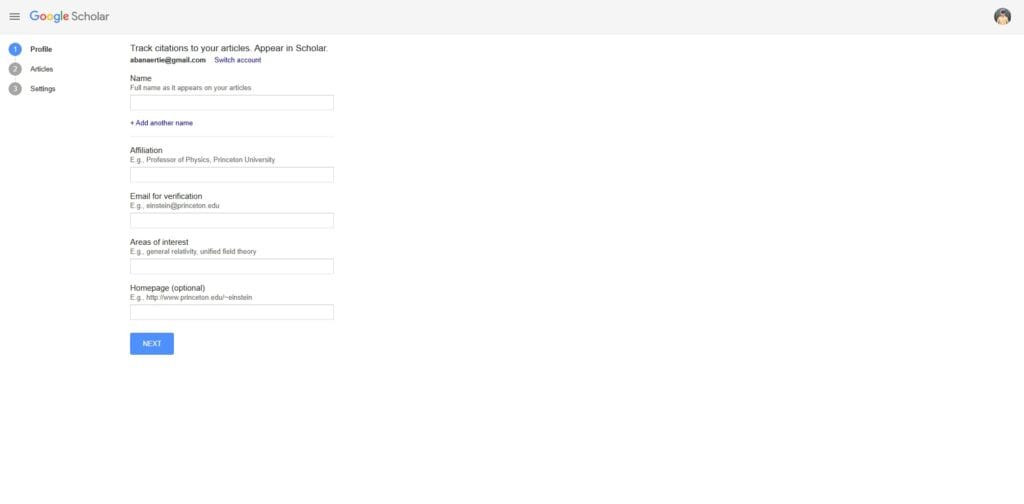
Use a professional name format
Consistency is the foundation of citation tracking. Choose one professional format (e.g., “John A. Smith”) and use it across all platforms to help the algorithm group your papers accurately.
Add accurate affiliation
This establishes credibility and helps colleagues from your institution discover your work. It also assists your university in tracking its collective global impact.
Writing for Semantic Search and AI in 2026
In 2026, Google uses advanced semantic models to categorise researchers. It is no longer enough to use broad tags. Use specific, natural language phrases in your “Research Interests” field to help the AI accurately summarise your expertise in search result snippets.
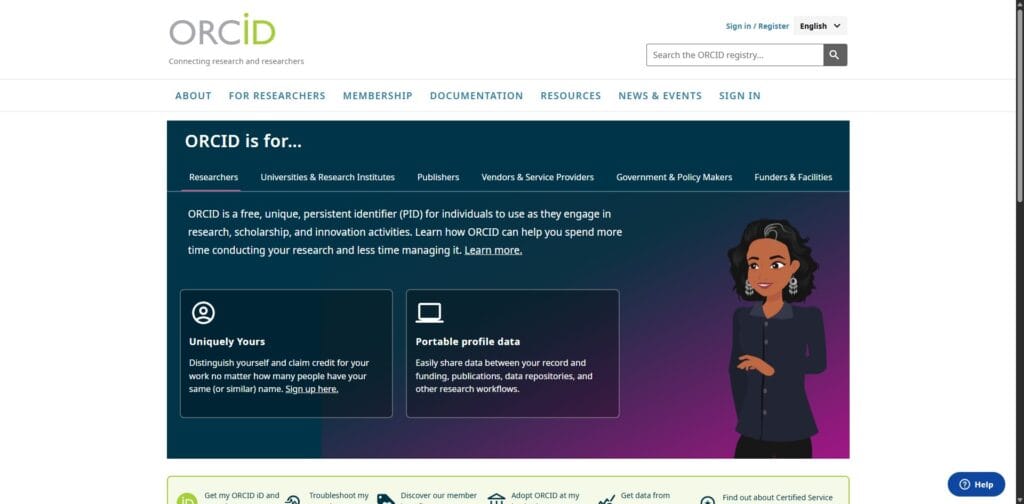
Integrating your ORCID iD
Include your ORCID iD in your profile description. This creates a permanent, persistent link between your Google Scholar profile and your global research identity.
How to Add and Manage Publications
Managing your publications is an ongoing task that ensures your academic record remains clean.
Automatic vs Manual Addition
Automatic is efficient but requires occasional monitoring. Manual gives you total control, but you must remember to check for new publications frequently.
Fixing common issues
- Remove duplicate entries: Sometimes the same paper is indexed twice.
- Merge duplicate papers: Select two entries for the same paper and click “Merge” to combine their citation counts. This is a fast way to boost your h-index.
How to Edit or Update Your Google Scholar Profile
Once your profile is set up, keeping it accurate and up to date is essential. Google Scholar allows you to easily edit your information and manage your publications over time.
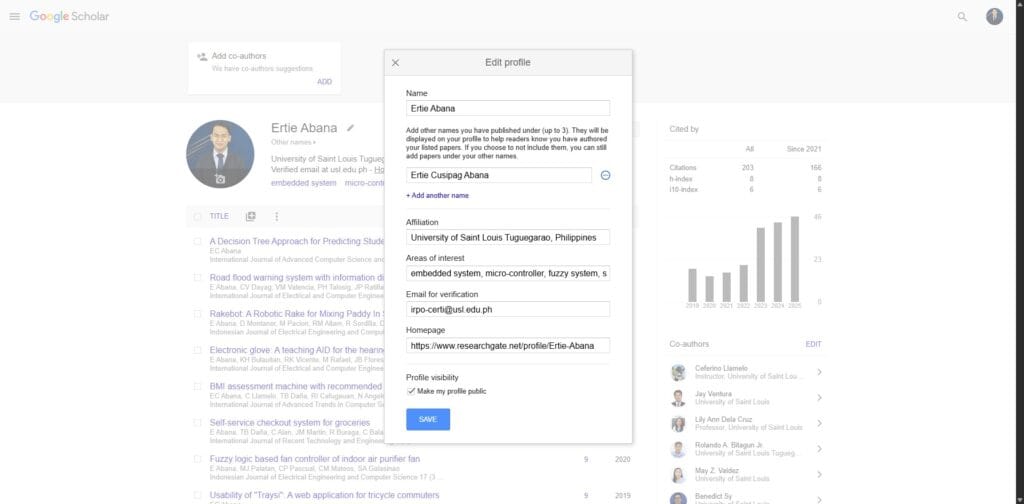
Editing Your Name and Profile Details
To update your name or research interests:
- Access your profile.
- Click the “Edit” button next to your name.
- Update your details and save changes.
Make sure your name format remains consistent across all publications to avoid citation errors.
Updating Your Affiliation
Your affiliation helps establish credibility and visibility. To update it:
- Click “Edit profile”.
- Change your institution or department.
- Save your changes.
Keeping this updated ensures your profile reflects your current academic position.
Removing Incorrect Papers
Sometimes Google Scholar automatically adds papers that are not yours. To fix this:
- Select the incorrect publication.
- Click “Delete”.
Regularly reviewing your publications helps maintain an accurate citation record.
Changing Update Settings
You can control how new papers are added:
- Automatic updates: Google adds papers for you.
- Manual updates: You approve each addition.
Most users prefer automatic updates, but manual control is useful if you have a common name.
Common Mistakes to Avoid
- Using a non-academic email: This reduces credibility. Use an institutional email whenever possible.
- Not checking publications: Audit your profile at least once a month to ensure no incorrect papers have been added.
- Leaving profile private: A private profile prevents your impact from being measured by the community.
- Ignoring updates: Regular reviews ensure your metrics remain accurate and professional.
Why Your Google Scholar Profile Matters
A complete profile is a powerful tool for career growth, providing a transparent view of your academic journey. In 2026, data privacy is central. Remember that a public profile is open to data scraping, so manage your visible personal details carefully.
Tailored Advice for Career Stages
- For PhD Students: Focus on adding “Preprints” and conference posters to show engagement before your major papers are peer-reviewed.
- For Tenured Professors: Focus on “Cleanliness.” Ensure no incorrect authors have slipped in over the decades.
The 5-Minute Monthly Maintenance Routine
To ensure your profile remains a high-ranking asset, follow this routine:
- Review the “Updates” Tab: Dismiss any papers that are not yours.
- Audit Your Metrics: Merge duplicate versions of your most-cited papers.
- Refresh Your Interests: Update your tags as your research evolves.
- Check Your Links: Ensure your homepage link is still active.
Final Thoughts
Setting up a Google Scholar profile is one of the first steps in building your academic presence. With a properly optimised profile, you can improve your visibility, track your impact, and make your research easier to discover.
Ready to master Google Scholar for your research?
Finding a single paper is helpful, but mastering the entire platform is essential for a successful literature review. If you are navigating your own research journey, explore our comprehensive guide on How to Use Google Scholar for Research to fully optimise your academic workflow.
Frequently Asked Questions
Is Google Scholar free to use
Yes, creating and maintaining a Google Scholar profile is completely free. It is a service provided by Google to help the academic community track research impact without the high costs associated with private databases.
Can I open an account without a university email
You can create a profile using a standard Gmail account. However, to get the “Verified” badge on your profile—which is a significant credibility signal—you must eventually verify the account using an institutional email address.
What should I do if I have no publications yet
Many students open a profile before they have published their first journal article. You can manually add your Master’s thesis, conference posters, or preprints to start building your profile early.
How long does it take for my profile to appear in search
Once you set your profile to “Public,” it usually takes between 24 and 48 hours for Google Scholar to index the page. It may take slightly longer to appear in general Google web search results.
Can I delete my Google Scholar profile
Yes, you can delete your profile at any time through the account settings. Deleting the profile will remove your public page and citation metrics, but it will not remove the actual papers from the index.