I have experienced the sudden panic of submitting a research paper I spent days researching, only to find that the automated software has flagged my original work as artificial intelligence when Turnitin says “AI-generated,” even though you wrote it. It is deeply demoralising to face accusations of academic misconduct when every single sentence came from your own mind. Dealing with a Turnitin AI false positive is an increasingly common issue for honest researchers, as the software frequently misinterprets structured, formal academic prose as machine-generated text.
This guide outlines the exact steps I use to counter a false AI detection on Turnitin and clear your academic record. My goal is to help you move from a stressful, high-percentage flag to a validated submission by showing you how to handle a situation where the Turnitin AI detector wrong algorithms have misjudged your writing style. I will explain how to gather your digital footprint and edit logs so you can confidently prove your authorship to a professor without escalating the conflict.
Turnitin Says AI Generated But I Wrote It
Discovering that an automated system has flagged your original writing can feel like a direct attack on your academic integrity. When Turnitin says “AI-generated” but you wrote it, it is vital to remember that these systems do not look for actual plagiarism; instead, they measure mathematical probability. Because formal academic prose is naturally structured and precise, it often triggers false alarms. Resolving this issue requires a calm, methodical approach to demonstrate that your research paper is entirely your own creation.
1. Extract Your Comprehensive Version History
Cloud-based word processors track every single edit, character, and sentence you type in real time. This hidden audit trail is your most powerful tool to disprove an automated accusation because it provides an unalterable record of human effort over time.
- Chronological tracking: Google Docs and Microsoft Word maintain hidden background timestamps that log every writing session, showing the gradual expansion of your text.
- My Experience: I have reviewed several cases where an instructor questioned a text; presenting an unalterable version history is consistently the definitive piece of evidence that resolves a Turnitin AI false positive.
- Why it is effective: It provides empirical data showing a human pacing of writing, which completely disproves the instant copy-and-paste text-generation model used by generative tools.
Exporting your unalterable cloud-based edit logs
- Open the primary document file inside Google Docs or Microsoft OneDrive where you drafted your research paper.
- Navigate to the file menu, select the version history settings, and open the full history panel.
- Expand the detailed time sequences to display the exact dates and times when individual paragraphs were constructed.
- Take clean screenshots of this comprehensive log or generate a read-only sharing link to preserve the system metadata for review.
2. Compile Your Preliminary Research Artifacts
An artificial intelligence model generates text in seconds without any background preparation, whereas a human academic leaves a distinct paper trail. Gathering the building blocks of your research paper will show the organic evolution of your ideas.
- Cognitive progression: A legitimate research paper relies on an accumulated history of notes, outlines, and early drafts that reflect your real human thoughts.
- My Experience: I find that keeping your early-stage outlines and browser histories can easily overturn a false AI detection on Turnitin by demonstrating an organic research workflow.
- Strategic value: This comprehensive collection exposes how the Turnitin AI detector wrong patterns fail to account for the actual background work of real academics.
Assembling your reference and drafting files
- Gather all early conceptual materials, including hand-written notes, brainstorms, and preliminary structured outlines.
- Locate your source materials, including downloaded journal PDFs, highlighted articles, and your browser’s research history.
- Organise your early draft files or print-outs that show how you revised your hypotheses and text over time.
- Match specific sections of your final research paper to your initial notes to prove a logical path of composition.
3. Request a Formal Review Meeting
Once your evidence is organised, you must initiate communication with your department or instructor. Presenting your data pack within a professional framework ensures that human analysis takes precedence over an automated percentage score.
- Hierarchical communication: Approaching your instructor with objective data rather than defensiveness shifts the focus from an integrity issue to a software error.
- My Experience: In my academic work, I have noticed that a polite, direct request to review the data packet is the absolute quickest way to prove your authorship to a professor.
- Resolution focus: It respects university policies while ensuring that your professor evaluates your physical proof rather than relying blindly on a proprietary algorithm.
- Draft a professional email to your professor requesting a brief office hour appointment to discuss the submission report.
- State clearly in the message that your work is completely original and that you want to share your drafting timeline.
- Bring your laptop or printed evidence portfolio to the meeting so you can walk through your timeline easily.
- Offer to explain your methodology or discuss any complex terminology used in the paper to prove your deep understanding of the subject.
4. Demystify the Software Flaws and Biases
AI detectors function by tracking linguistic predictability and sentence length variation. Understanding these underlying flaws gives you the exact technical vocabulary required to defend your writing style.
- Linguistic pattern penalisation: Classifiers track low perplexity and low burstiness, which means highly structured, academic syntax is often flagged as machine-written.
- My Experience: I have watched the software flag perfectly legitimate research papers because the technical terminology and formal tone mimicked the training data used by AI models.
- Educational advocacy: Explaining these flaws helps the faculty understand why the system flagged your original work, demonstrating that it is just a statistical prediction, not a definitive fact.
Analyzing syntactic structure to explain false flags
- Review the Turnitin originality report to pinpoint the exact paragraphs that have been marked as artificial.
- Identify any specialized terminology or passive sentence structures in those sections that are typical for your academic field.
- Show your professor similar passages from your previous, unflagged research papers to demonstrate a consistent writing voice.
- Provide references to known industry data regarding the high error rates of automated detectors on formal, non-fiction writing.
Final Thoughts on Turnitin Saying AI Generated It, But You Wrote It
I believe that navigating an academic environment where probabilistic algorithms dictate integrity metrics can be incredibly taxing. However, when Turnitin says “AI-generated” but you wrote it, you must remember that software metrics are merely predictions, not absolute proof. By maintaining a disciplined approach to your digital forensics and organising your preliminary research artifacts, you can easily shift the burden of proof back onto the technology. Professors and institutional review boards value empirical evidence, and a well-documented creation timeline will always carry more weight than a software percentage score. Protecting your academic reputation is entirely possible when you answer algorithmic doubt with clear, verifiable human data.
Need to access references to validate your defense portfolio?
Proving your original research trajectory often requires presenting the exact literature you consulted during your drafting phase. If you need to retrieve high-quality, open-access studies to back up your bibliography and prove your data sources, read my guide on how to download free medical research papers to help build an undeniable paper trail.
Frequently Asked Questions
Can Turnitin definitively prove that a research paper is AI-generated?
No, Turnitin cannot definitively prove that a document was created by artificial intelligence. The software provides a probability score based on predictability and sentence structure patterns. Because it relies on statistical likelihood rather than empirical proof, it is prone to errors and cannot act as a definitive judge of academic misconduct.
What triggers a false positive on Turnitin’s AI detector?
A false positive is typically triggered by highly structured, formal academic writing. If your research paper uses precise technical terminology, standard discipline-specific phrases, or repetitive sentence lengths, the algorithm may misinterpret this structured clarity as machine-generated text, since AI models are trained on similar formal data patterns.
Should I use an AI humaniser or rewriter if Turnitin says AI generated but I wrote it?
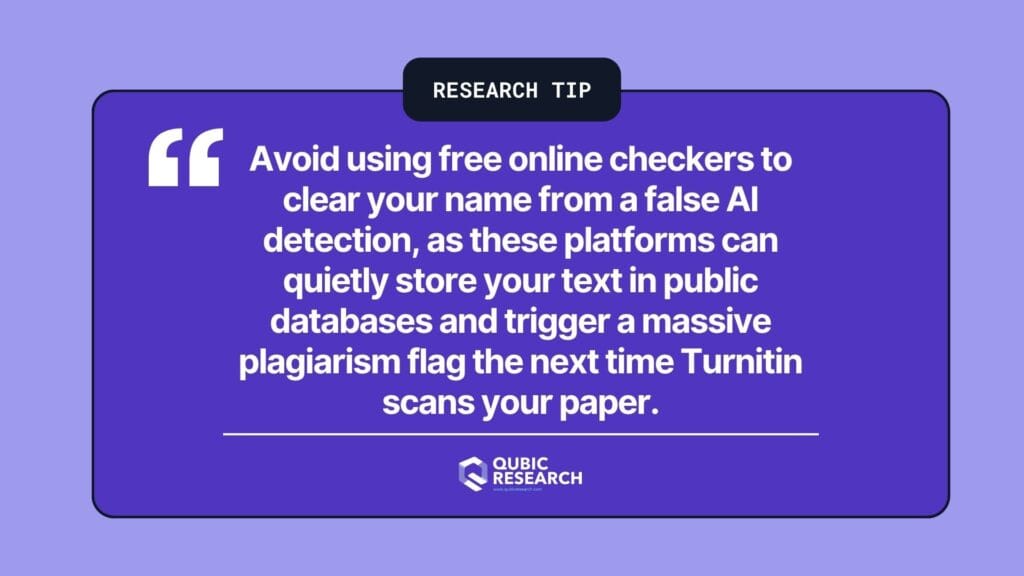
No, you should absolutely avoid using online humanisers or paraphrasing tools. If Turnitin says AI-generated but you wrote it, attempting to run the text through a secondary software tool will modify your original writing voice and ruin your file metadata. It can also cause your research paper to be stored in public databases, creating further plagiarism complications.
Can my professor fail me based solely on a Turnitin AI percentage score?
While university policies vary, most institutions state that an automated percentage score cannot be the sole basis for a failing grade or disciplinary action. The score is intended to be a diagnostic flag that requires a human instructor to perform a qualitative review before any formal accusations can be made.
How can I protect my research papers from false AI flags in the future?
The most effective protection method is to compose your research papers exclusively within cloud-based platforms like Google Docs or Microsoft Word with version history active. Maintaining continuous typing sessions, saving your initial outlines, and keeping your research notes organized ensures that you always have an unalterable audit trail ready to validate your authorship.