I have felt the absolute panic of looking at a submission report only to find a massive, glowing alert slashing straight through your bibliography. If you are currently shouting, an AI detector flagged my references, you are experiencing one of the most common and frustrating structural glitches in modern academic scanning. While you expect these pattern checkers to only evaluate your body paragraphs, their underlying text-classification algorithms frequently misinterpret properly formatted source citations as machine-generated text blocks.
This guide explains exactly why automated tools mistake your academic bibliographies for artificial writing and how you can resolve the issue with your department. Understanding this specific mechanical bias will help you quickly resolve false bibliography flags and present your work without anxiety. I will break down the structural settings and data patterns that cause these system errors so you can confidently verify original research references and protect your hard-earned academic reputation.
AI Detector Flagged My References
Discovering that your reference page has triggered a high-percentage alert can make you feel incredibly defensive. However, dealing with a situation where an AI detector flagged my references requires understanding that your writing is not the problem; it is the structural mechanics of the software. Academic classifiers do not possess human understanding—they run statistical math models on text streams. Because of how bibliographies are structured, they exhibit the exact mathematical characteristics that automated systems are pre-programmed to flag as machine-generated text.
1. Deconstructing the Low-Perplexity Pattern Trap
The main reason submission portals flag a bibliography is a concept known as low perplexity. Perplexity measures how unpredictable your word choices are, and unfortunately, a perfectly formatted citation is entirely predictable by design.
- The mathematical alignment: Language tools are trained to identify highly structured, expected sequences of data. Because every student must list names, dates, journal titles, and volumes in an identical sequence, the system reads this lack of randomness as machine prose.
- My Experience: I regularly analyze institutional dashboards where a student’s essay body scores a clean 0%, but the overall score jumps to 30% because the software evaluated a dense list of twenty perfectly structured academic citations.
- Structural bias: The software checks for text burstiness, which is the natural variance in sentence structure and length. A reference page consists of repetitive, uniform lines, making it a perfect target for an automated pattern alert.
Why standard citation formats trigger system alerts
- An entry like “Smith, J. (2023). Journal of Higher Education, 14(2)” follows a rigid, unvarying order.
- The classifier scans this data and notes that the structural layout matches a pre-programmed language template perfectly.
- The engine calculates an ultra-low perplexity rating because the word order has zero individual creative variance.
- The platform highlights the entire bibliography page in red, artificially inflating your document’s overall percentage.
2. The Absence of Portal Administration Exclusion Settings
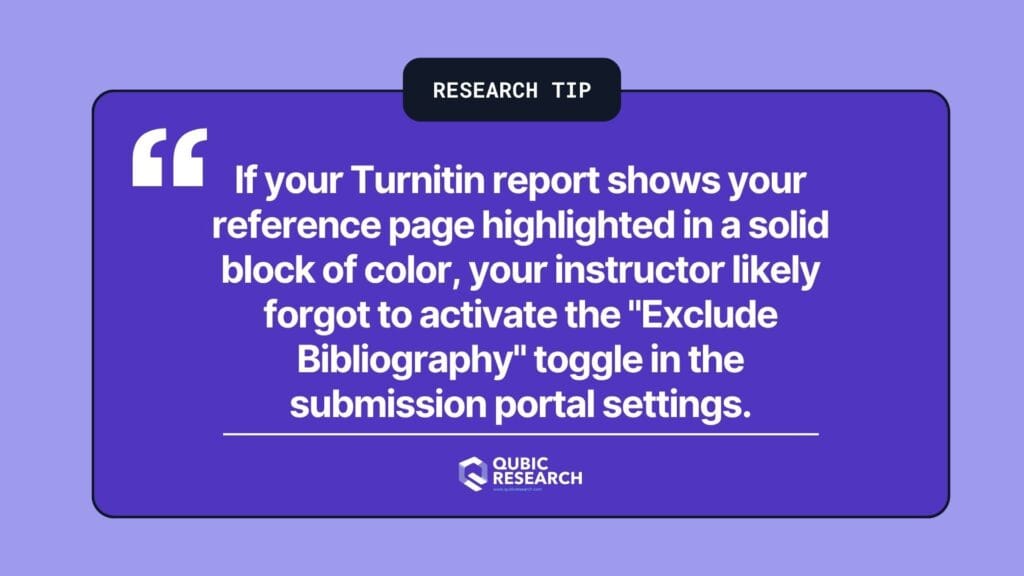
A huge percentage of bibliography false positives are caused by a simple administrative oversight on the university dashboard rather than an actual text issue. When a portal is configured incorrectly, it forces the algorithm to analyze sections it should be ignoring.
- Administrative configuration: Enterprise grading engines like Turnitin have specific administrative toggle controls labeled “Exclude Bibliography” and “Exclude Quotes.”
- My Experience: In my consults with university faculty, over half of the sudden integrity disputes I review are resolved instantly when I show the professor that they forgot to activate the automated filter blocks on the assignment setup screen.
- The automated result: When these exclusion blocks are left turned off, the submission engine processes your reference entries exactly like your standard body paragraphs, leading to unavoidable system alerts.
How to identify an unconfigured submission portal
- Open your digital submission receipt or feedback studio window within your student learning portal.
- Look at the highlighted sections of your document to see if the colored flags cover your reference list.
- Check the filter sidebar panel to determine if the reference exclusion toggle is grayed out or inactive.
- If the system is actively processing your author names and publication years, the portal settings are unconfigured.
3. Verifying Source Integrity Against Automated Hallucinations
When an automated system flags your citations, your most effective counter-strategy is to demonstrate that your sources are completely real. Large language models struggle with actual database lookups and frequently fabricate references, whereas you can easily prove yours are authentic.
- Verifiable database connections: Real research entries link directly to active digital indexes like Google Scholar, Scopus, Crossref, or institutional libraries.
- My Experience: I have consistently found that when students bring a physical or digital folder of their primary PDF sources to an integrity meeting, department heads will drop an automated software flag within minutes.
- The human advantage: Presenting valid Digital Object Identifiers (DOIs) proves a genuine human research path that completely disproves any automated probability score.
How to organize your reference data for a department audit
- Compile a master digital folder containing the primary PDF files for every source paper listed in your bibliography.
- Ensure that each entry on your reference list includes its valid, clickable DOI web link or stable library URL.
- Highlight the specific quotes or data points within those source documents that you utilized in your body paragraphs.
- Be fully prepared to summarize the primary methodologies and conclusions of your main references if your instructor requests a manual review.
4. Deploying Live Drafting Logs to Confirm Human Research Trails
The absolute best way to defend your work against an algorithm that misinterprets your citation list is to show your backend data footprint. Human research leaves behind a clear track of continuous document editing that automated generation cannot fake.
- LMS data tracking: Writing platforms track continuous background telemetry, documenting every single time you add a source, format an italicized title, or fix an author name.
- My Experience: Graduate review panels routinely dismiss reference alarms when a student shows an active cloud history file detailing how the bibliography page grew naturally over several weeks of study.
- Objective validation: A live editing log provides an unalterable tracking history that completely clears your name from any automated false accusation.
Exporting your editing history logs to settle a false alarm
- Open your final document inside your cloud editor and open the version history tracking sidebar.
- Locate the specific saved updates showing when you manually typed out or compiled your reference entries.
- Take screenshots or export a copy of the multi-day editing timeline to show your gradual progress.
- Present this timestamped tracking record to your instructor to prove that your references were built through human labor.
Final Thoughts on AI Detector Flagged My References
I believe that finding an academic integrity flag on your hard-earned bibliography is deeply discouraging, but you should never treat this software error as a reflection of your scholarship. When analyzing why an AI detector flagged my references, the situation clearly comes down to a structural limitation where automated tools mistake perfect, rigid human formatting for a machine-learning algorithm.
Trying to adjust or break your citation layout to bypass these platforms will only ruin your grading metrics. Instead, rely on your unalterable cloud version histories, keep your source database files organized, and request that your department manually review your submission with the proper exclusion toggles enabled. Your research is validated by the reality of the sources you uncovered—not the imperfect calculations of a text screening platform.
Acceptable AI Scores Explained
If you want to know how academic departments interpret overall compliance thresholds and screening bands, read my breakdown on what percentage of AI is acceptable in modern universities.
Frequently Asked Questions
Why do automated tools regularly flag bibliographies and reference pages?
Automated scanning platforms flag reference pages because academic citations must follow a rigid, unvarying syntax (like author names, years, and volume formats). Because every entry matches a highly predictable sequence, language classifiers register ultra-low perplexity scores and interpret the uniform layout as machine-generated text blocks.
Can I ask my professor to run my paper again with different portal settings?
Yes, you can absolutely ask your professor to re-scan your paper with the proper exclusion filters activated. Most enterprise systems like Turnitin feature built-in administrative controls labeled “Exclude Bibliography” and “Exclude Quotes,” which instantly strip the citation page out of the calculation and correct your overall score.
How does a real citation list differ from a fake bibliography generated by ChatGPT?
A real citation list connects directly to active, verifiable academic indexes such as Google Scholar, PubMed, or Crossref via functional Digital Object Identifiers (DOIs). In contrast, generative tools lack real-time index tracking and frequently invent fake reference titles, hallucinated journal volumes, or broken hyperlinks.
Will modifying the style of my citation page help prevent false plagiarism alerts?
No, you should never intentionally mess up your citation formatting to evade a software alert. Doing so will instantly lower your assignment grade for poor compliance, whereas maintaining proper style rules and showing your live cloud editing history provides undeniable evidence of human authorship during a manual audit.
What is the most effective data evidence to present if my sources get falsely flagged?
The most effective evidence is a combined digital folder of your source materials and your live document version timeline. Presenting a timestamped trail showing your manual typing steps alongside the verified primary PDFs you cited proves an authentic human research process that completely overrides an automated threshold flag.