Quetext is a freemium, cloud-based plagiarism detection platform and writing integrity tool built to help students, academics, and professional creators verify text originality.
Operating as a high-precision scanning utility, Quetext cross-references submitted texts against billions of active internet web pages, digital books, and peer-reviewed academic journals. Rather than relying on simple exact-word matching, the system employs advanced contextual processing algorithms to identify word placement patterns, near-miss similarities, and cleverly masked paraphrasing structures.
Recommended
What can you use Quetext for?
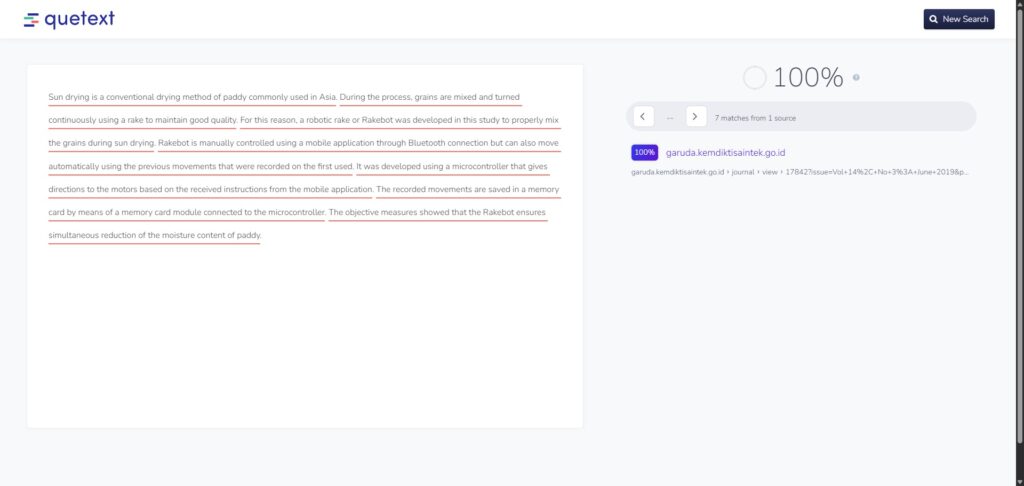
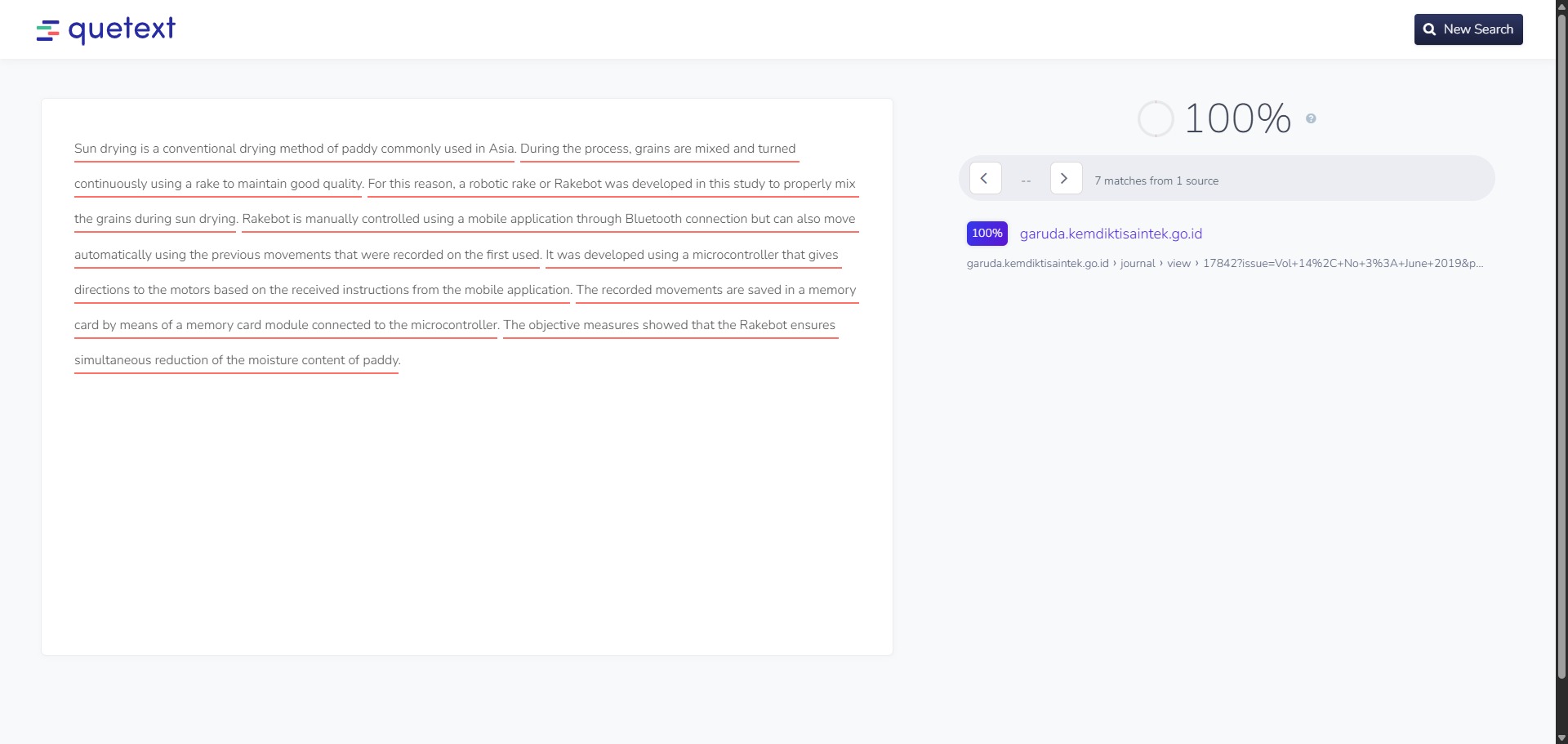
You can use it to scan your draft essays, check research paper chapters, and confirm that all outside sources possess accurate bibliographic attribution. By pasting text blocks into the primary editor workspace, the engine maps out potential duplications, showing you exactly where your sentences align with pre-existing digital records.
It also functions as an integrated linguistic review panel. The updated dashboard environment contains specialized modules to generate matching citation lines, correct surface grammar mistakes, and evaluate paragraphs for indicators of generative artificial intelligence automation.
Who is Quetext best for?
It is ideal for university undergraduates, secondary school pupils, and research masters candidates who want a fast, independent method to audit their academic texts before final portal submission.
It also serves as an excellent resource for independent writers, copy-editors, and university classroom teachers who need to evaluate incoming reports for academic authenticity and clear source tracking.
Is Quetext genuinely free?
Yes. Quetext operates an entry-level free framework that stays active without demanding subscription commitments. This basic tier grants you full access to their standard plagiarism checking algorithms and citation assistants, though it enforces an input word ceiling of 500 words per individual scan.
To eliminate these character limits, access their high-tier DeepSearch processing mode, run bulk document uploads, scan text for AI indicators, and view full analytical report downloads, you must upgrade your workspace profile to a paid monthly or annual subscription tier.
Is Quetext Premium Worth It?
Yes, but only if you need to check full-length documents or research chapters. The free plan restricts your scans to just 500 words per search, which means you cannot even process a standard two-page essay in one pass. Upgrading is highly useful for university students, content editors, and professional writers who handle larger manuscripts regularly.
When you should upgrade:
- You need a higher word limit: The free tier forces you to chop your writing into tiny fragments. Premium plans provide a generous monthly word allowance so you can check complete papers smoothly.
- You want deep similarity scans: Upgrading unlocks the full DeepSearch extended mode, which uses advanced contextual algorithms to find cleverly hidden paraphrasing and altered word sequences.
- You require file uploads and downloads: Paid versions allow you to upload up to twenty Word or PDF files at the same time and let you download full, shareable originality reports to prove your text integrity.
If you only want to verify a short abstract or check a few paragraphs for web duplication, the free basic tier is completely sufficient. However, if you are finishing a multi-page dissertation or managing high-volume content, the premium upgrade saves you from the tedious task of splitting your text manually.
Should I use Quetext as a plagiarism checker?
Yes. It is an excellent, comprehensive tool for discovering scholarly literature, tracing citation networks, and finding accessible versions of research documents across almost every academic discipline.
Because it covers multiple areas of study in one central place, it makes the initial discovery process fast and straightforward. It serves as an essential starting point for any literary search before diving into niche database systems.
Key Features
- Proprietary DeepSearch contextual algorithm
Utilizes fuzzy text matching and syntactic evaluation to track down hidden paraphrasing and clever word substitutions that basic tools miss. - Color-coded side-by-side analysis views
Highlights overlapping sentences directly within your text pane, matching them against corresponding source links in a clear split layout. - Integrated multi-style Citation Assistant
Helps you build missing bibliography markers and inline parenthetical quotes in formats like APA 7, MLA 9, and Chicago instantly. - Simultaneous AI content verification module
Analyzes phrase structures and language predictability metrics to calculate an objective human-versus-machine content probability score. - Bulk file upload and tracking pipeline
Enables premium users to drop up to 20 comprehensive PDF, Microsoft Word, or cloud storage documents into the scanner at one time.
Best for
- Identifying exact and near-miss text duplication
- Uncovering paraphrased sources lacking citations
- Reviewing overlapping documents via split views
- Generating fast bibliographic citation links
- Checking student assignments for AI automation metrics
Pros and Cons
Here are the main advantages and limitations of using Quetext for text originality verification.
Pros
- ✓The interactive color-coded layout makes editing and correcting overlapping passages highly efficient.
- ✓DeepSearch technology catches altered word sequences far better than standard free keyword scanners.
- ✓Generates clean, shareable authenticity summaries that are perfect for proving project integrity.
Cons
- ✗The free account tier’s 500-word single check limit is too short for complete academic papers.
- ✗The platform requires a constant web connection and lacks a native standalone mobile application.
- ✗Can occasionally flag standard technical terms or universal scientific laws as duplicate phrases.
How to Use Quetext
Follow this quick guide to run your text originality checks and verify your source citations.
-
Visit the Website and Create an Account
Go to the official Quetext website and register for a free account. While you can run a basic check without signing in, creating a profile allows you to access the citation helper tools. -
Choose Your Scan Mode
Open your dashboard workspace and select whether you want to scan your writing for plagiarism, check for generative AI indicators, or analyze your text for both issues simultaneously. -
Input Your Research Text
Paste your draft sentences directly into the large central editor box. If you have upgraded to a premium account profile, you can click the upload option to select and drop your Word or PDF files into the scanner. -
Launch the Originality Check
Click the main check button to initiate the scanning process. The system will run its contextual matching algorithms to cross-reference your text against billions of online records and digital journals. -
Review the Color-Coded Results
Examine the split-screen report view once the scan finishes. Look at the bright red highlights to see exact word-for-word duplication, or review the orange markers to spot suspected paraphrasing loops. -
Generate Citations and Save Reports
Click on any highlighted phrase to view its corresponding web source link. Use the integrated citation manager to build a missing bibliographic marker in APA or MLA format, then click export to download your final report.
Frequently Asked Questions
Does Quetext store my uploaded research drafts in a public database repository?
No. Quetext prioritises academic privacy standards. Your pasted sentences and document file uploads are never sold, published online, or added to a public master database, ensuring your original research material stays fully secure from external lookups.
What do the separate red and orange underline marks mean in a Quetext report?
Quetext utilizes an interactive color-coded system to illustrate duplication metrics. Brighter red underlines mark exact word-for-word string matches against indexed web sources, while orange lines flag modified sentence layouts and suspected paraphrasing loops.
Can the free citation assistant help me fix an originality overlap?
Yes. If Quetext flags an uncredited source match, you can click the built-in Citation Assistant link next to the matched item. The tool will pull the available web metadata to build a structured citation row that you can insert to establish proper attribution.
How does Quetext’s search capacity compare to institutional platforms like Turnitin?
While Quetext scans an expansive index of public web locations, books, and open journal libraries, institutional networks like Turnitin possess exclusive access to private student paper repositories from other universities. Quetext acts as a brilliant pre-check utility before that internal audit.
Is the AI Content Detector available to users operating on the free tier?
Yes, but it includes structural text limits. Free account structures can access basic AI content verification parameters for up to 250 words per singular input check. Expanding this volume threshold requires transitioning your workspace profile to a paid plan tier.