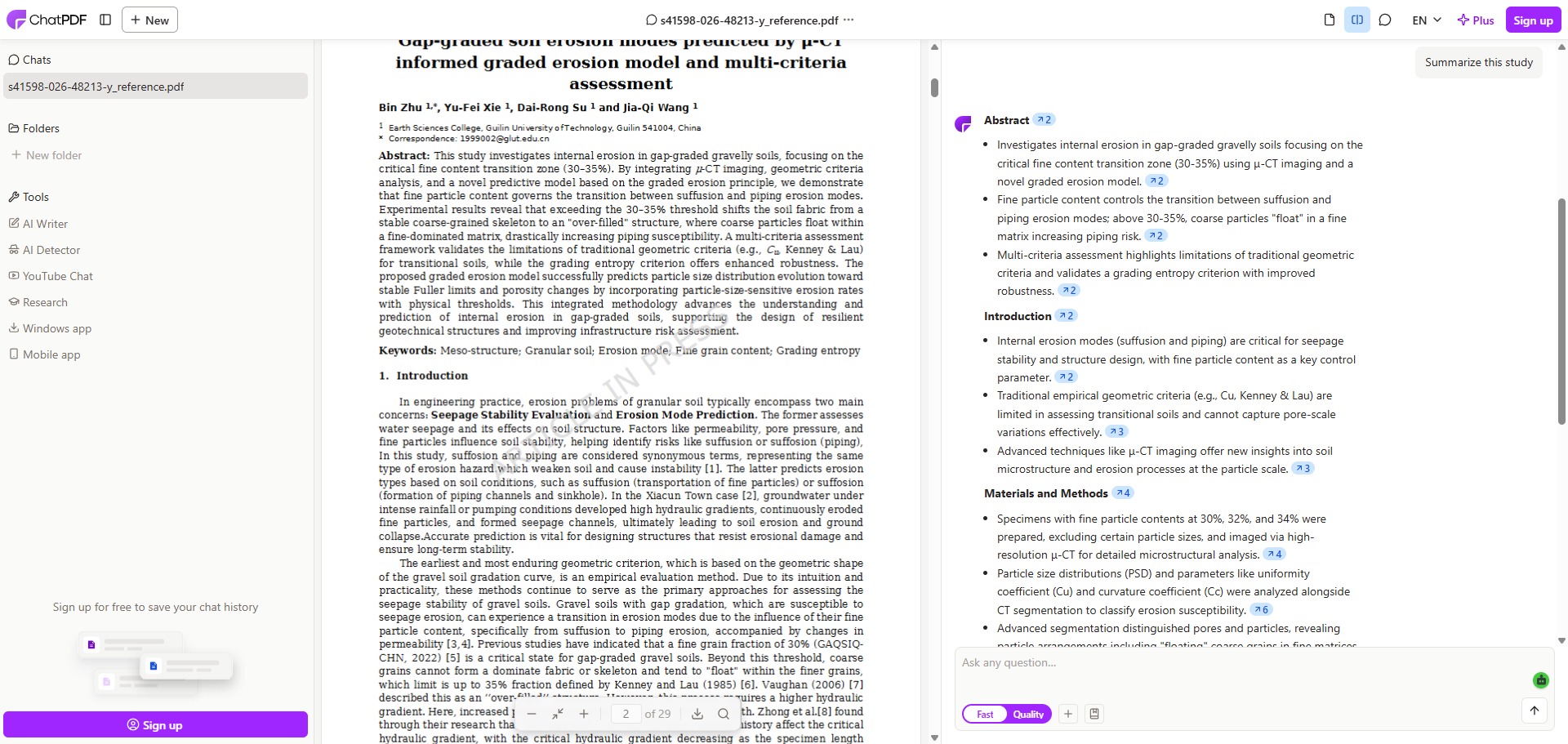
ChatPDF is a freemium, AI-driven reading assistant designed to help students, academics, and professional researchers extract insights and summarise long-form digital files rapidly.
Operating as an intelligent document reader, ChatPDF converts static text files into conversational companions. By uploading a document into the system, you can bypass manual scanning entirely, using natural language text fields to ask direct questions, query technical data blocks, and map out structured summaries from the underlying source file.
Recommended
What can you use ChatPDF for?
You can use it to build immediate abstract breakdowns, find specific method metrics, and unpack complex data interpretations across dense multi-page layouts. Instead of manually reviewing whole chapters, you can ask the application to locate specific data points, clarify dense jargon, or translate foreign language studies into clean English text blocks.
It also functions as an automated research indexing checker. The engine reads structural section headers and citation logs inside your papers, allowing you to instantly isolate isolated arguments or discover where a specific scientific authority is mentioned inside the text body.
Who is ChatPDF best for?
It is ideal for university undergraduates, secondary school pupils, and master candidates who are managing extensive reading piles and need a rapid way to check the relevance of study materials.
It serves as a fantastic time-saving tool for any reader who wants to extract direct factual answers from a long text manual without reading thousands of lines of background text.
Is ChatPDF genuinely free?
Yes, ChatPDF features a highly functional free tier that can be accessed without creating an account or registering a profile. This unpaid tier allows you to process up to two separate PDF files every single day, with a document size limit of up to 120 pages per file and an execution allowance of 50 conversational questions daily.
To remove these daily processing boundaries, you must upgrade to the paid ChatPDF Plus subscription plan. Upgrading unlocks unlimited document uploads, permits files containing up to 2,000 pages, increases file capacity metrics, and enables multi-file workspace queries alongside integrated AI text editing tools.
Is ChatPDF Premium Worth It?
Yes, but only if you are conducting an intensive literature review or processing heavy textbooks. The free tier restricts you to just two document uploads per day, which can easily be used up within your first few minutes of work. Upgrading is highly useful for postgraduate researchers, data analysts, and students handling large reading piles daily.
When you should upgrade:
- You need unlimited file uploads: The free tier forces you to wait until the next day after uploading two files. Premium plans remove this daily cap so you can process an unrestricted number of documents.
- You read massive documents: Free accounts reject files that exceed 120 pages. Paid subscriptions expand this limit up to 2,000 pages per file, allowing you to scan full book chapters and lengthy corporate reports.
- You analyze multiple sources together: Upgrading unlocks multi-file workspace folders, enabling you to cluster several separate PDFs into a single chat window to cross-reference data across different papers.
If you only need to skim an occasional short article or extract a quick statistic from a brief report, the free zero-registration layout is completely sufficient. However, if you are regularly managing complex research pipelines or preparing comprehensive thesis notes, the premium version is well worth the monthly cost.
Should I use ChatPDF as a research paper summariser?
Yes. It is an excellent, comprehensive tool for discovering scholarly literature, tracing citation networks, and finding accessible versions of research documents across almost every academic discipline.
Because it covers multiple areas of study in one central place, it makes the initial discovery process fast and straightforward. It serves as an essential starting point for any literary search before diving into niche database systems.
Key Features
- Semantic multi-file document mapping
Allows premium users to cluster multiple separate PDF reports into a single unified conversation to synthesise insights across different papers. - Interactive page-linked citation tracking
Attaches exact, clickable page number tags to every answer block so you can quickly jump to the exact source paragraph to verify data. - Instant multilingual text translation
Reads research materials published in dozens of international languages and accurately outputs analysis summaries in your preferred local tongue. - Zero-registration web dashboard interface
Enables you to drag and drop text logs into your web browser to extract data insights instantly without completing registration forms. - Universal data format support structures
Processes standard academic PDFs alongside formatted Microsoft Word documents, PowerPoint slides, and plain Markdown files smoothly.
Best for
- Summarising dense peer-reviewed academic articles
- Extracting specific statistics from long papers
- Verifying data facts using page-linked source tags
- Skimming heavy institutional and corporate reports
- Translating foreign language scientific literature quickly
Pros and Cons
Here are the main advantages and limitations of using ChatPDF for reviewing academic research documents.
Pros
- ✓The layout is highly efficient, returning targeted textual answers in less than a second.
- ✓Page-number links make cross-referencing and checking AI claims back to the text stress-free.
- ✓The free utility handles standard student paper lengths with absolute ease.
Cons
- ✗The unpaid allowance of two document uploads per day fills up quickly during heavy literature reviews.
- ✗Can sometimes struggle to accurately extract data patterns enclosed inside heavily stylized chart images.
- ✗Uploading highly confidential or sensitive institutional files requires careful privacy consideration.
How to Use ChatPDF
Follow this quick guide to upload your digital documents and extract research insights instantly.
-
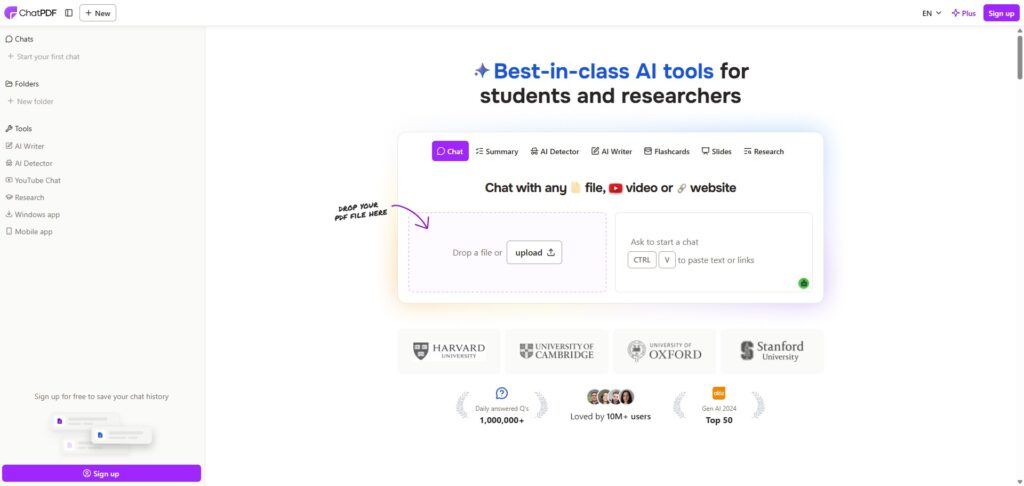
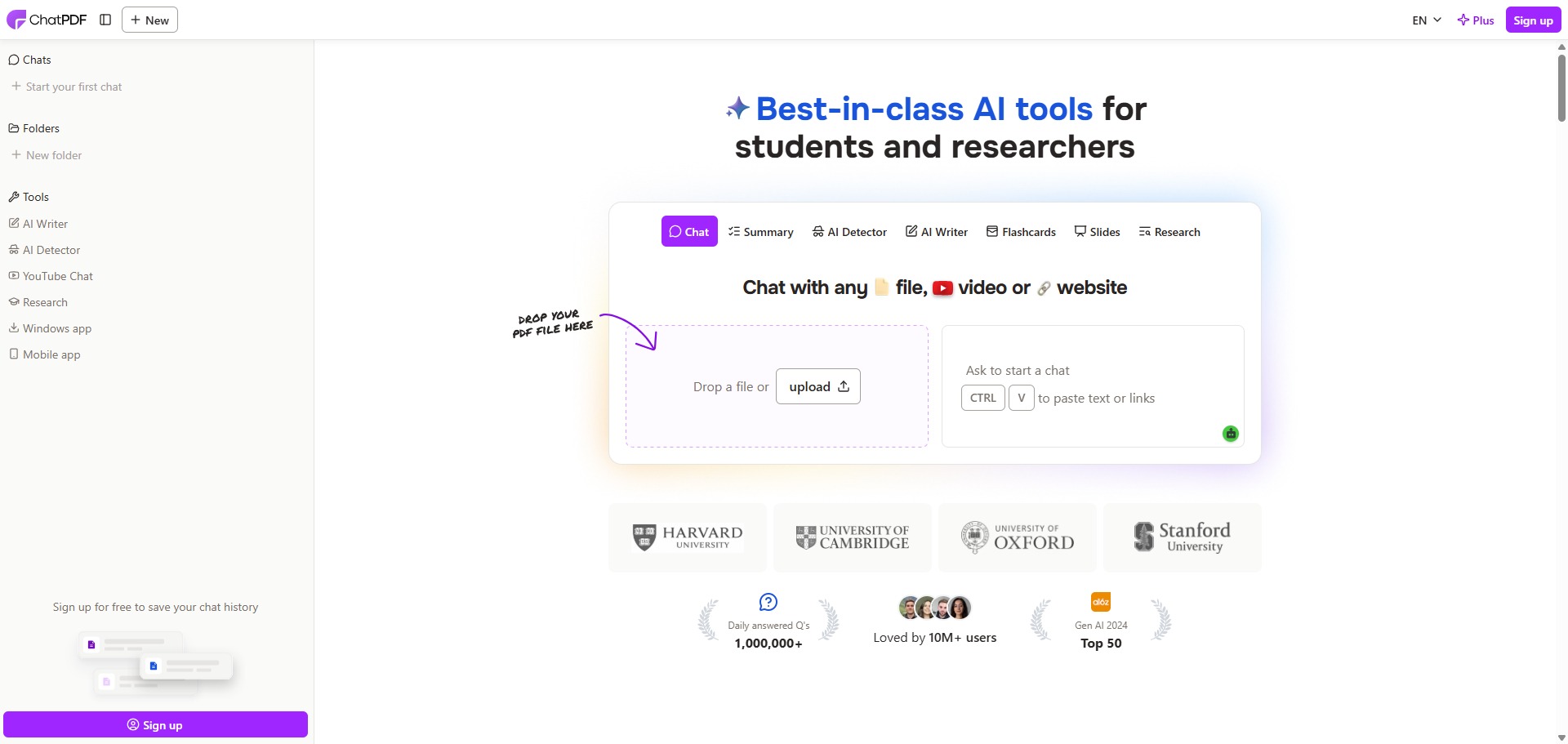
Visit the Website
Go to the official ChatPDF website. Because the platform features an open entry system, you can immediately begin your document analysis from the homepage without needing to sign up for an account. -
Upload Your Document File
Drag and drop your chosen file directly into the massive upload box on the screen. The platform smoothly accepts standard academic PDFs alongside Microsoft Word files, PowerPoint slides, and plain Markdown text logs. -
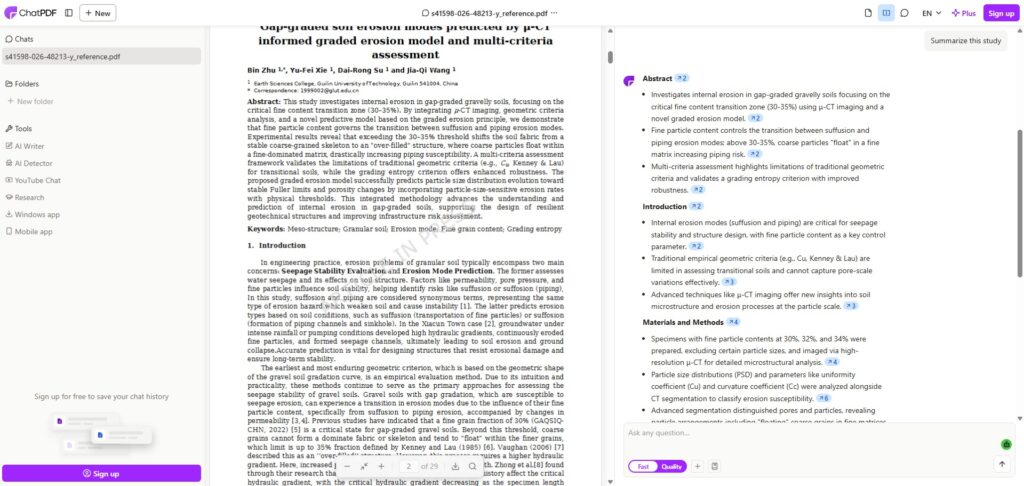
Review the Automated Summary
Wait a few seconds for the parsing engine to scan the text structure. The interface will open a fresh conversation window, presenting a brief automated summary of the document alongside three helpful sample question prompts. -
Ask Direct Research Questions
Type a specific query into the natural language text field at the bottom of the page. You can ask the AI to locate precise methodology metrics, clarify dense technical jargon, or extract key statistical data rows. -
Verify Your Facts with Page Links
Examine the text answers generated by the model. Click on the interactive, color-coded page number tags attached to the response block to jump straight to the exact source paragraph inside the original file to confirm the findings. -
Export Your Discussion Notes
Click the export utility button inside your active workspace toolbar once you have gathered your data insights. Choose to download your full question-and-answer dialogue history as a compiled text file for your research logs.
Frequently Asked Questions
Are the documents I upload to ChatPDF private and secure?
ChatPDF stores your uploaded document files on secure cloud servers to run its natural language analysis loops. The application states that your data logs remain fully confidential and you retain the ability to permanently erase your files and chat history from the dashboard at any time.
How can I ensure that ChatPDF does not hallucinate facts or misread a paper?
The best way to guarantee accuracy is to utilize the page citation links attached to the AI responses. Clicking these tags directs you straight to the exact location inside the original document block, allowing you to manually confirm that the numbers match the original study context.
Does ChatPDF possess the capability to read scanned or unsearchable PDF files?
Yes, ChatPDF includes advanced optical character recognition (OCR) systems designed to parse textual details from scanned pages and old images. However, if the source scan is blurry or heavily degraded, the text extraction layer may occasionally encounter minor data gaps.
Can I export my chat conversations from ChatPDF to a text document?
Yes. Every conversational workspace contains an export utility that allows you to download your full question-and-answer dialogue history. You can save the chat summary straight into a pre-formatted text file or compile the notes into a fresh PDF block for your research logs.
What AI model powers ChatPDF’s document parsing engine?
ChatPDF operates using high-throughput large language models developed by OpenAI, such as GPT-4o configurations. This underlying framework ensures highly accurate semantic document reading, detailed context evaluation, and swift text synthesis across extensive page ranges.