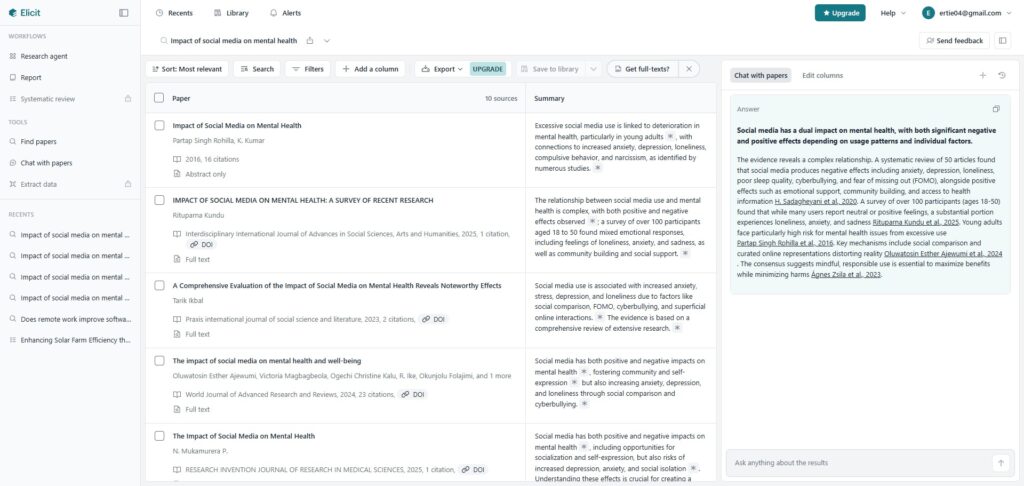
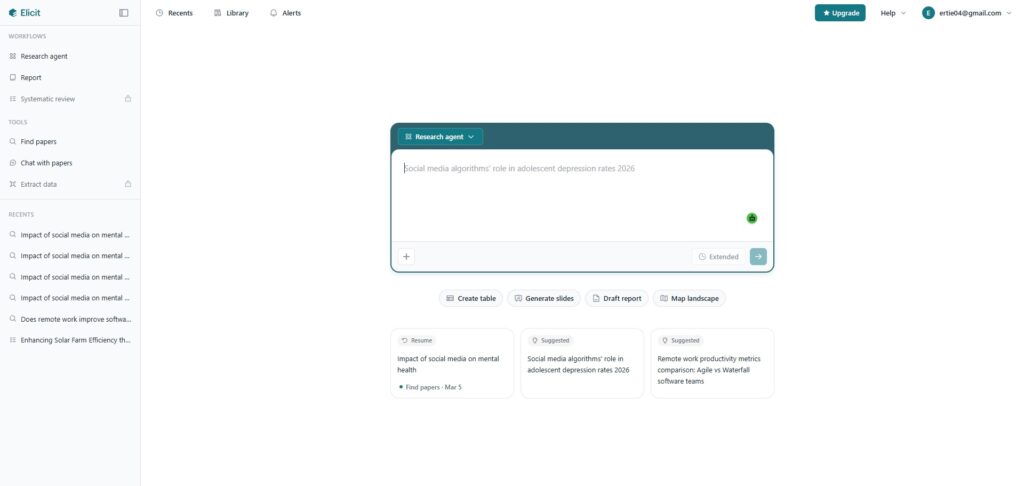
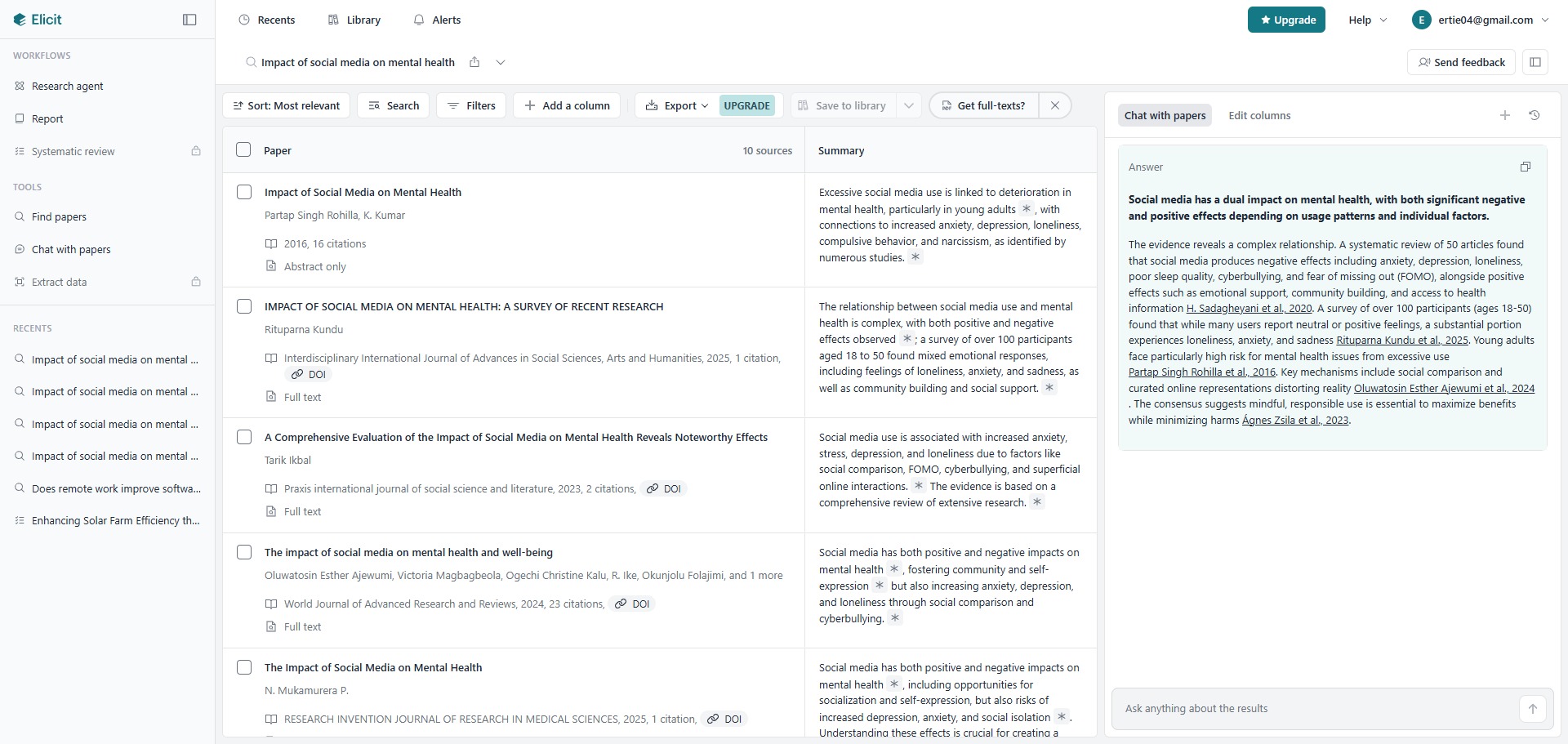
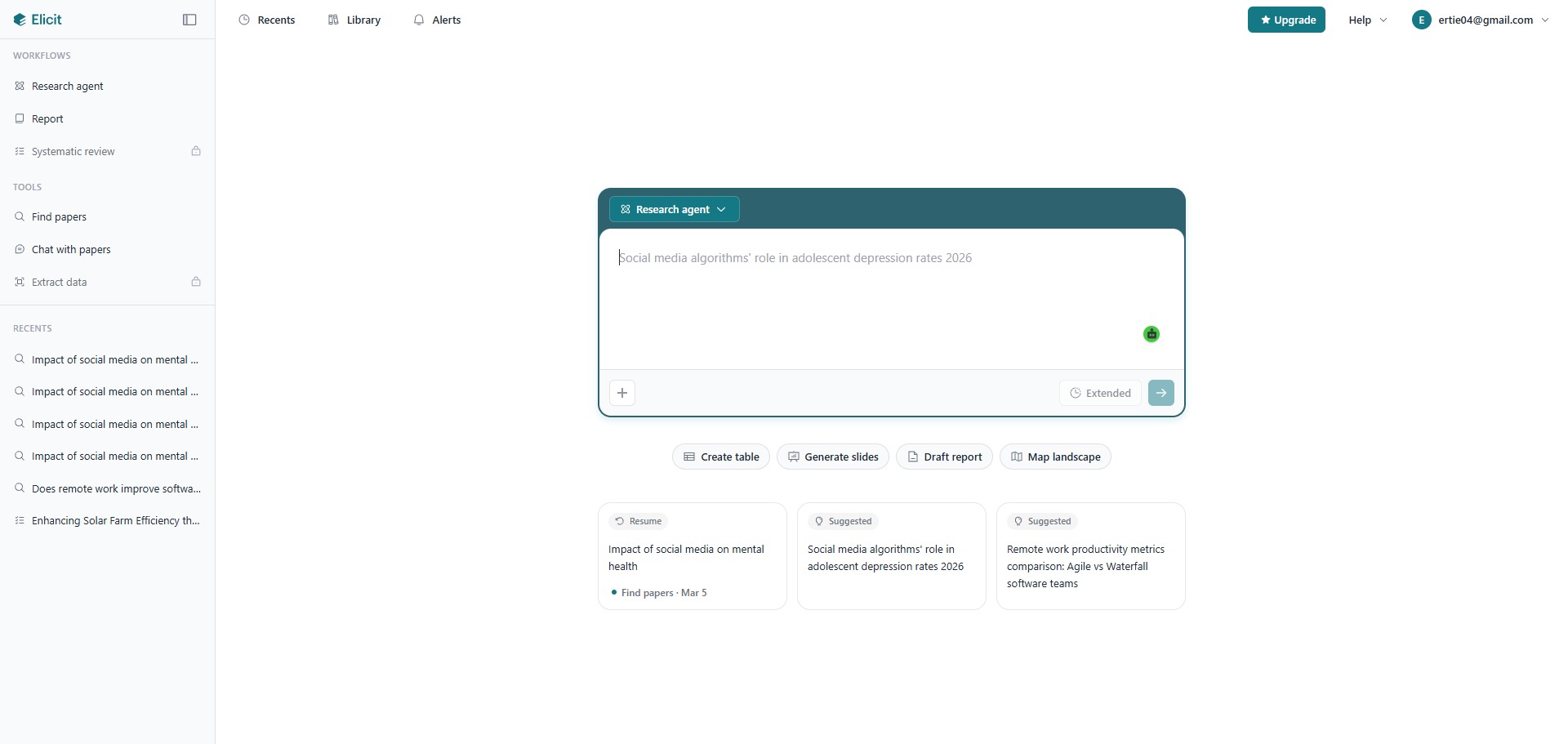
Elicit AI is a freemium, specialized AI research assistant and literature synthesis platform designed to help students, academics, and medical professionals automate evidence collection and review scholarly data rapidly.
Operating distinctly from generic chatbots, Elicit AI bypasses conversational filler to function as an automated literature workspace. The platform searches an index of over 138 million academic papers and half a million clinical trials, using advanced semantic language models to extract quantitative findings, map out methodology vectors, and construct highly structured synthesis tables completely automatically.
Recommended
What can you use Elicit AI for?
You can use it to execute semantic literature searches, summarize specific datasets across multiple papers simultaneously, and isolate critical empirical outcomes. By entering an explicit research question, such as exploring the precise effects of an intervention, the system bypasses simple keyword matches to locate studies based on conceptual context, organizing the findings into an interactive evaluation matrix.
It also functions as an automated systematic review station. Through specialized data extraction features, users can add custom columns to their research tables, instructing the engine to scan full text documents to pull out precise participant demographics, specific dosage metrics, or targeted experimental design variables without manual reading.
Who is Elicit AI best for?
It is ideal for university postgraduates, clinical trial researchers, and meta-analysis authors who manage intensive reading pipelines and require a systematic method to synthesize quantitative metrics.
It serves as a fantastic time-saving platform for evidence-based practitioners across fields like pharma, biomedicine, social sciences, and institutional policy design who need verified data points grounded in peer-reviewed records.
Is Elicit AI genuinely free?
Yes, Elicit AI provides an entry-level Basic plan that is completely free to utilize upon creating an account profile. This unpaid tier offers an unlimited volume of semantic searches across their publication index, supports unlimited individual paper summaries, and allows you to chat with multiple full text papers concurrently.
To access high-volume file processing, you must transition to a paid tier like the Plus or Pro plan. Upgrading removes operational blocks, unlocks advanced multi-step Research Agents, permits custom column extractions from hundreds of uploaded PDFs monthly, and grants access to high-accuracy reasoning models alongside dedicated systematic screening tools.
Is Elicit AI Premium Worth It?
Yes, if you are conducting a comprehensive literature review or meta-analysis. While the free plan allows you to run unlimited semantic searches and chat with papers, it restricts your ability to extract custom data from large groups of files. Upgrading is highly valuable for postgraduate researchers and clinical trial teams who handle dozens of papers simultaneously.
When you should upgrade:
- You need high-volume data extraction: The free tier limits how many custom columns you can add to your tables. Premium plans allow you to extract up to thirty columns of data at the same time across hundreds of papers.
- You want to automate complex tasks: Paid tiers unlock the advanced Research Agents feature, which runs multi-step background searches to map out competitive research areas automatically.
- You need to process large PDF batches: Upgrading lets you upload substantial collections of your own research documents every month to pull out precise participant demographics or experimental metrics instantly.
If you only need to run casual topic searches or summarise a few individual articles, the free Basic tier is completely sufficient. However, for evidence-based practitioners and academic authors managing heavy systematic reviews, the premium plan saves days of manual reading.
Should I use Elicit AI as an AI research assistant?
Yes. It is an excellent, comprehensive tool for discovering scholarly literature, tracing citation networks, and finding accessible versions of research documents across almost every academic discipline.
Because it covers multiple areas of study in one central place, it makes the initial discovery process fast and straightforward. It serves as an essential starting point for any literary search before diving into niche database systems.
Key Features
- Context-aware semantic paper discovery
Interrogates an expansive repository of publications and clinical trials based on underlying intent, pulling relevant literature even when term phrasing differs. - Customizable data extraction matrices
Extracts complex qualitative and quantitative data points automatically, organizing variables into structured comparison table columns. - Agentic multi-step Research Agents
Deploys advanced backgrounds scripts to evaluate massive topic landscapes, map competitive research fields, and run interactive checks. - Sentence-level claim verification links
Attaches explicit, clickable inline citation marks to every single summary block, pointing straight to the exact phrase inside the source PDF file. - Integrated Zotero database synchronization
Connects directly with your personal reference management applications to import existing libraries and generate automated matrix reports smoothly.
Best for
- Running systematic literature searches without exact keywords
- Extracting specific methodology metrics across papers
- Synthesizing quantitative outcomes into structured tables
- Verifying AI claims with sentence-level reference marks
- Tracking clinical trials and empirical biomedical findings
Pros and Cons
Here are the main advantages and limitations of utilizing Elicit AI for academic literature synthesis.
Pros
- ✓Semantic search excels at finding relevant studies that traditional keyword indices overlook.
- ✓Automated column extraction cuts down data collection times during massive systematic reviews.
- ✓The free Basic tier provides highly generous search capabilities and core matrix tools.
Cons
- ✗Bulk PDF file uploads and custom extraction configurations are limited on the unpaid plan.
- ✗Performs slightly less effectively when analyzing highly abstract fields lacking empirical metrics.
- ✗Requires human checking, as language models can still occasionally misinterpret highly stylized data graphics.
How to Use Elicit AI
Follow this quick guide to set up your literature workspace and automate your data collection.
- Visit the Website and Register
Go to the official Elicit AI website and create a free account. You can sign up using your academic or personal email to log in and open your central dashboard workspace. - Enter Your Research Question
Type a complete, specific research question into the main search box rather than just simple keywords. The system uses semantic language models to understand your intent and find relevant studies. - Build Your Comparison Table
Review the initial list of papers generated by the platform. The system will automatically build an interactive matrix table displaying basic details, abstract summaries, and key findings. - Add Custom Data Columns
Click the option to add new columns to your table. You can select pre-made filters or type custom data prompts to instruct the AI to find specific metrics like participant age, dosages, or study durations. - Upload and Scan Your Own PDFs
Navigate to the upload area if you already have a collection of files. Drag and drop your research PDFs directly into the dashboard to run the same automated data extraction on your personal library. - Verify Claims and Export Results
Click on any summary text to see the exact sentence-level source link inside the original PDF. Once you verify the information, click the export button to download your full table as a CSV or BIB file for Excel.
Frequently Asked Questions
Where does Elicit AI source its academic literature and metadata from?
Elicit AI aggregates its data records through direct partnerships with major academic indexing registries, drawing heavily from the Semantic Scholar network. This infrastructure covers over 138 million international research papers, preprints, and active clinical trial registries across disciplines.
Can I upload my own collection of PDF documents into Elicit AI to extract parameters?
Yes. Elicit AI includes a document upload pipeline that allows you to drag and drop your own research files directly into the workspace dashboard. Once uploaded, you can apply the table column filters to extract variables and chat with your papers simultaneously.
How many metadata columns can I add to a table on the free version?
Users operating on the free Basic tier can configure up to two data extraction columns per table workspace at a single time. To lift this constraint and map up to thirty separate data columns simultaneously, you must upgrade your user profile to a paid plan layer.
Does Elicit AI support the export of its data extraction tables into Excel?
Yes. Once you have compiled your literature summary matrix and verified the extracted metrics, you can utilize the export functions to download your workspace summary. The application supports standard CSV, BIB, and RIS data file formats for easy importing into Excel.
Can I set up automated research alerts for my literature matrix queries?
Yes. The platform houses an integrated Alert tracking system. By configuring a target topic query or saving an active literature search, you can prompt the platform to monitor incoming scientific indexes, delivering notification updates straight to your workspace when new papers surface.