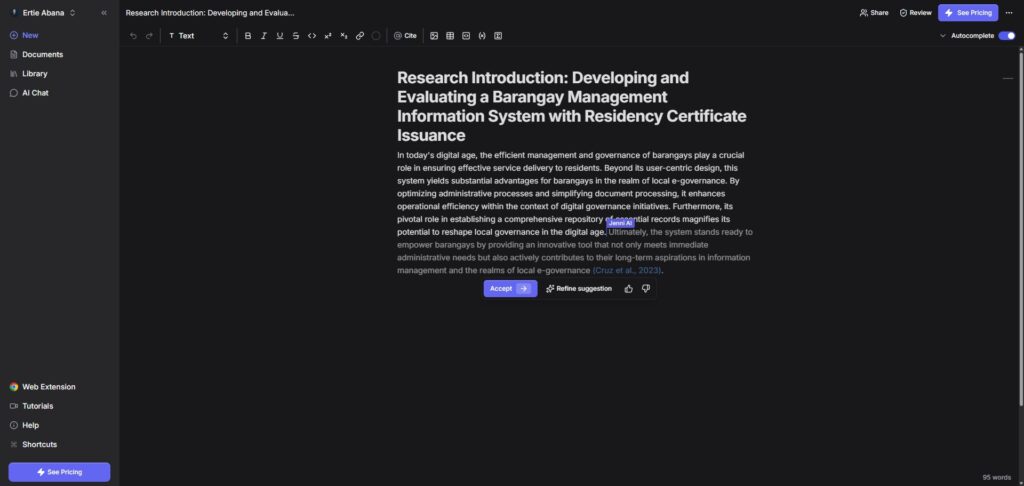
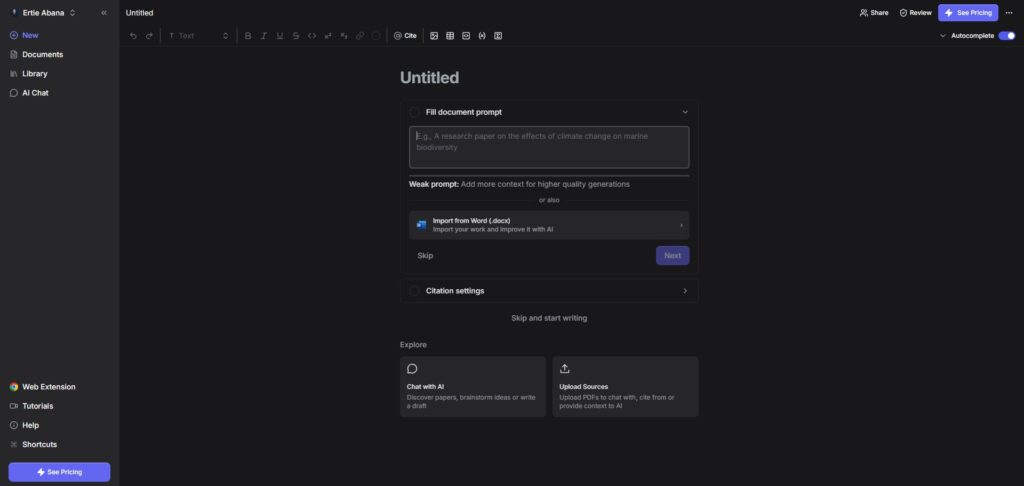
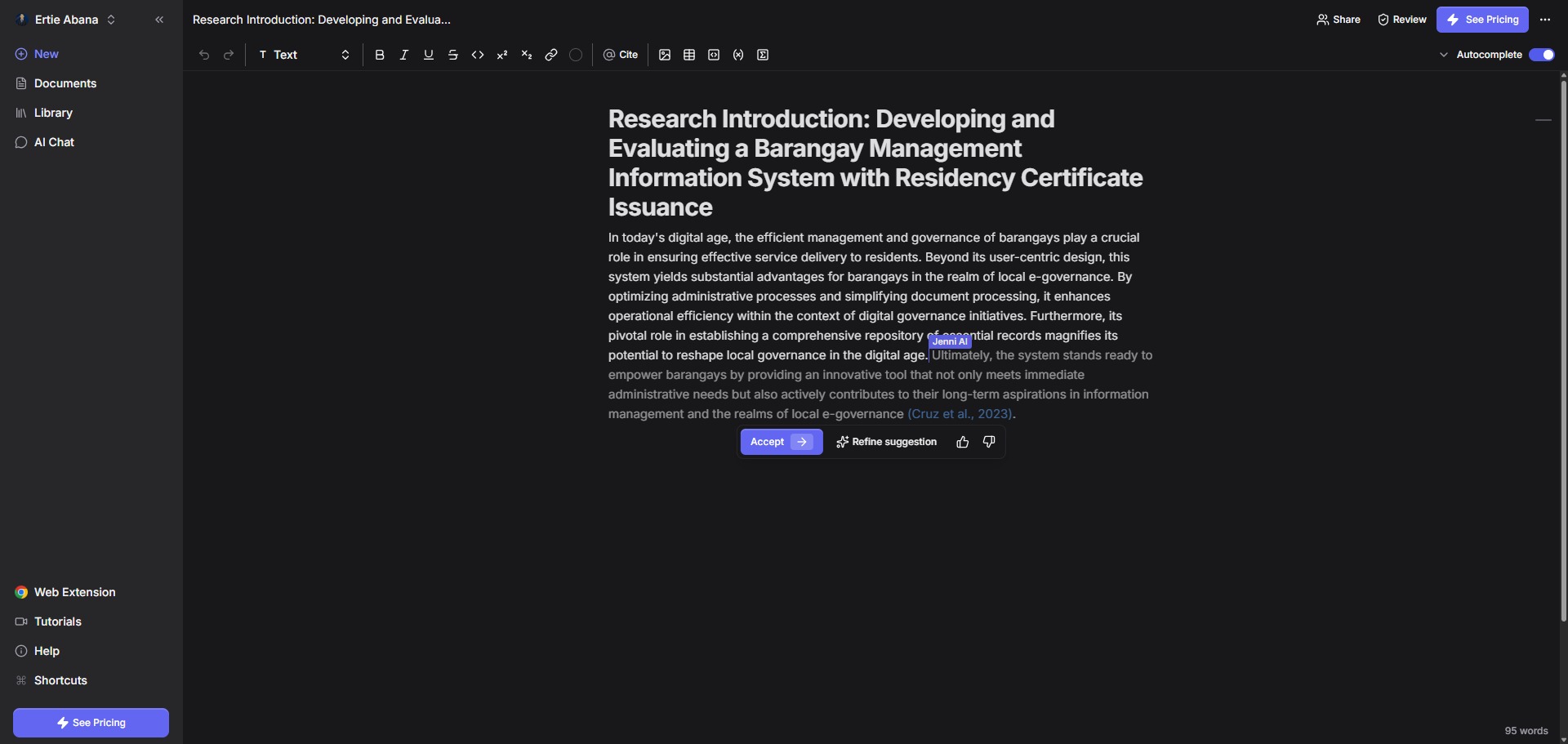
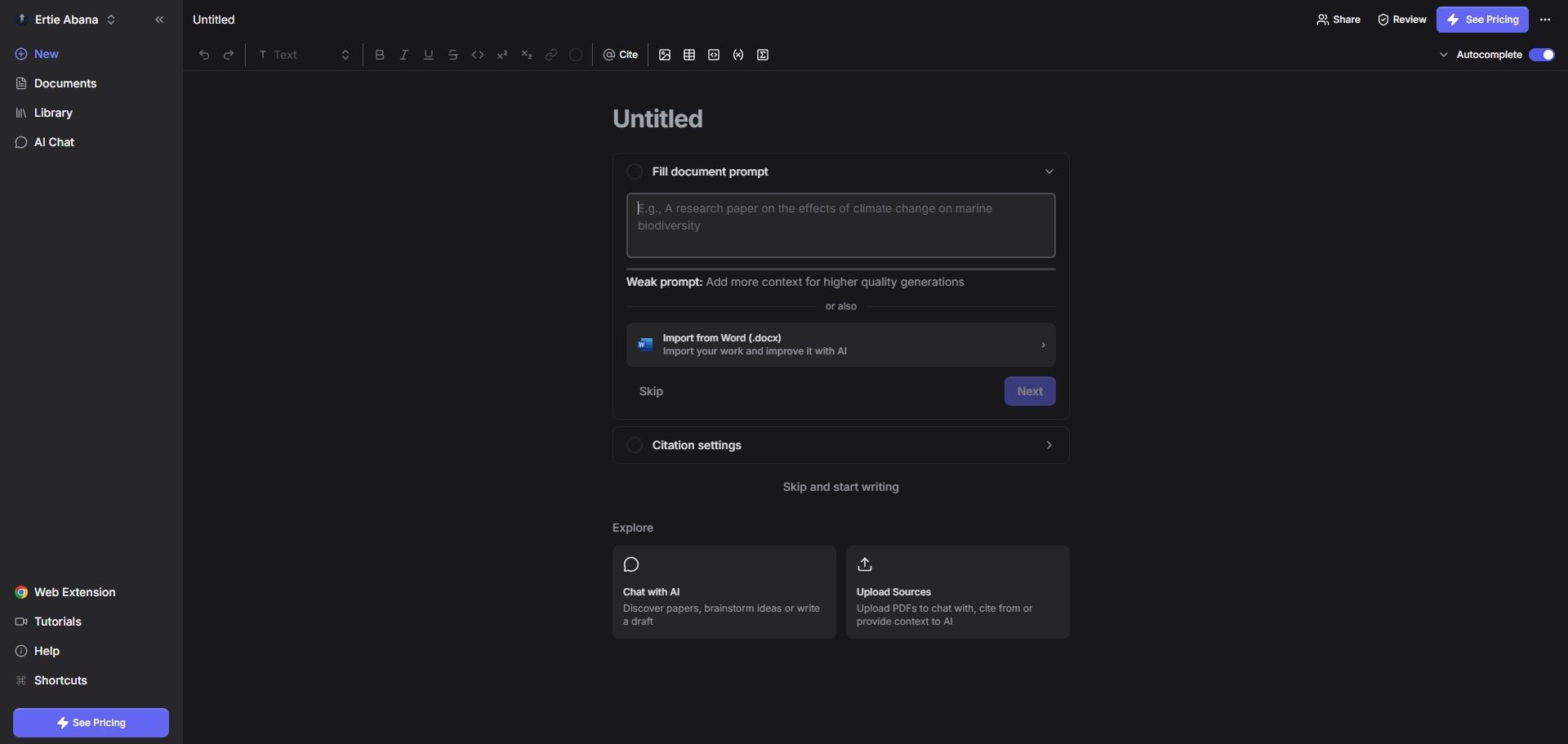
Jenni AI is a freemium, research-centric AI writing assistant and structured workspace engineered to help university students, doctoral candidates, and academic authors draft literature outlines, generate original text, and manage citations seamlessly.
Operating inside a specialized text editor layout, Jenni AI focuses heavily on academic integrity by bridging generative writing models with real-world databases. By tracking your keystrokes and analyzing context, the platform provides interactive sentence autocomplete suggestions that draw directly from a vast repository of peer-reviewed articles or your own private document uploads.
Recommended
What can you use Jenni AI for?
You can use it to expand skeletal notes, generate formal section openings, and paraphrase repetitive paragraphs. By pressing your cursor forward or typing a few baseline characters, the engine activates a context-aware autocomplete sequence, offering structured multi-clause suggestions that adapt smoothly to a specialized technical tone.
It also functions as an embedded research library assistant. Users can upload background materials, import complete collections from desktop databases, or run live semantic lookups to find relevant texts, allowing the assistant to chat with your files and anchor every generated line to a real, verifiable source paragraph.
Who is Jenni AI best for?
It is ideal for university undergraduates, postgraduate thesis writers, and PhD candidates who find themselves stuck during long-form scientific drafting and require an interactive collaborator to speed up production.
It serves as a vital editing desk for non-native English scholars who want to polish their manuscript sentence rhythms, ensure structural consistency, and format references perfectly according to strict institutional rules.
Is Jenni AI genuinely free?
Yes, Jenni AI offers a basic free plan that public users can access immediately upon setting up a profile. This unpaid baseline plan allows you to explore the editor environment and provides an allowance of up to ten AI autocomplete steps per day, along with basic access to citation styles and up to ten PDF source uploads.
To eliminate these daily calculation boundaries, users must purchase a paid subscription upgrade like the Pro plan. Transitioning your user profile unlocks unlimited AI autocompletes, unconstrained document uploads, unlimited AI chat actions, access to advanced language models, and full document export pipelines.
Is Jenni AI Premium Worth It?
Yes, but primarily if you are an academic author, postgraduate researcher, or multi-disciplinary scientist working on extensive dissertations and requiring continuous, high-volume drafting assistance. While the free tier is great for testing the software interface, its tight daily autocomplete ceiling prevents you from completing extensive writing projects.
When you should upgrade:
- You require high-volume text generation: The free tier stops after ten brief autocomplete steps daily. Upgrading unlocks unlimited AI text generation, enabling you to draft thousands of words without operational interruptions.
- You manage large literature libraries: Paid plans remove file ceiling blocks, allowing you to upload an unlimited volume of reference PDFs and cross-examine massive research sets simultaneously via the document chat portal.
- You need full manuscript exports: Upgrading lifts document export restrictions, enabling you to download your finalized text layout and formatted references into clean desktop formats like Microsoft Word, LaTeX, or HTML.
If you only need to adjust an isolated paragraph or brainstorm ideas for a brief article introduction, the free tier is perfectly capable. However, for executing professional manuscript writing tasks and handling heavy document management, the premium subscription is an essential, time-saving investment.
Should I use Jenni AI as an AI writing assistant?
Yes. It is an excellent, comprehensive tool for discovering scholarly literature, tracing citation networks, and finding accessible versions of research documents across almost every academic discipline.
Because it covers multiple areas of study in one central place, it makes the initial discovery process fast and straightforward. It serves as an essential starting point for any literary search before diving into niche database systems.
Key Features
- Grounded AI Autocomplete composition tools
Suggests line-by-line sentence continuations that are explicitly derived from peer-reviewed literature indices or your internal files. - Localized citation verification maps
Connects every single AI-suggested phrase back to the precise page and paragraph inside your source file to ensure rapid validation. - Expansive style-flexible citation auto-generator
Generates in-text citations and complete bibliography lines across over 2,600 academic styles, including APA 7, MLA, Harvard, and IEEE. - Interactive split-screen PDF document chat
Enables you to execute deep queries against uploaded files, extracting section summaries and mapping structural arguments effortlessly. - Automated Tone of Voice review panel
Audits your drafted text blocks against custom files or preset templates to ensure a consistent academic voice across long-form chapters.
Best for
- Overcoming writer block with smart autocomplete prompts
- Drafting research grounded in verified academic papers
- Generating automated inline citations across thousands of styles
- Interrogating uploaded library PDFs via conversational chat
- Maintaining a uniform formal writing voice across long drafts
Pros and Cons
Here are the main advantages and limitations of utilizing Jenni AI for academic text composition.
Pros
- ✓The generative engine anchors suggestions directly to verifiable papers, mitigating hallucination risks.
- ✓The citation tracking framework covers an impressive catalog of custom institutional and journal styles.
- ✓Interactive autocomplete steps follow your voice patterns cleanly, preventing an artificial writing style.
Cons
- ✗The free account’s limit of ten daily autocompletes is strictly restrictive for serious drafting tasks.
- ✗Requires continuous active manual screening to ensure that recommended citations match your intended context.
- ✗Advanced paragraph paraphrasing blocks and bulk document analyses are locked behind paid tiers.
How to Use Jenni AI
Follow this quick guide to run your AI-assisted writing sessions, manage academic references, and generate verified in-text citations.
- Visit the Website and Sign Up
Go to the official Jenni AI web domain. Register a free account profile to enter your writing command console, which securely holds your document listings, uploaded source directories, and custom project folders in one place. - Create a New Writing Document
Click the document creation button inside your dashboard interface. Assign a clear operational title and outline your specific text rules, choosing a formal research voice to optimize the underlying autocomplete algorithm. - Upload Your Supporting Literature Files
Navigate to your document’s library sidebar pane and upload your relevant background material or reference papers in standard PDF layout. The engine will instantly read and index these local files for targeted source extraction. - Trigger AI Autocomplete Prompts
Begin drafting your introductory lines within the main workspace. When you need assistance, use the autocomplete hotkey or simply pause your typing to view text continuations, accepting suggestions that fit your argument cleanly. - Insert Formatted Academic Citations
Highlight a generated assertion or open the reference tools panel to attach your inline citation marks. Select your target guidelines, such as APA 7 or Harvard, to link the sentence to a specific entry in your library repository. - Review via Document Chat Portal
Open the split-screen conversation interface to interrogate your background files directly. Enter specific analytical prompts to extract quantitative data, confirm experiment methodologies, or synthesize chapter findings into your active draft.
Frequently Asked Questions
Can Jenni AI automatically construct a complete bibliography page for my manuscript?
Yes. Jenni AI includes a dynamic citation management framework that monitors every inline reference mark you apply across your project. When your draft is finalized, the system organizes these entries into a completed bibliography list, formatted to match your chosen style guidelines.
Does Jenni AI support structural document exports into LaTeX format frameworks?
Yes. Users operating on the premium Pro tier can access comprehensive document export pipelines. This utility allows you to download your full text layouts and corresponding citation keys into clean, structured LaTeX code files or standard Microsoft Word formats.
Will using the autocomplete engine in Jenni AI trigger plagiarism warning logs?
No. The generative models inside Jenni AI formulate original sentence paths built dynamically from your contextual text prompts. Because the tool focuses on expanding your own thoughts rather than lifting strings from web sites, it creates plagiarism-free prose, though manual editing remains essential.
Can I link my external Mendeley or Zotero database profiles directly to my workspace?
Yes. The dashboard interface includes direct integration pathways for standard academic reference databases. This link enables you to synchronize your collection metadata smoothly, allowing Jenni AI to access your existing research records when generating text indicators.
What is the maximum file size limit for uploading reference PDFs into my library?
Individual reference document uploads are subject to standard processing size constraints. For optimal indexing performance, ensure your research papers do not exceed 25 megabytes per file, and verify that the PDFs contain clear text layers rather than flat graphical image scans.