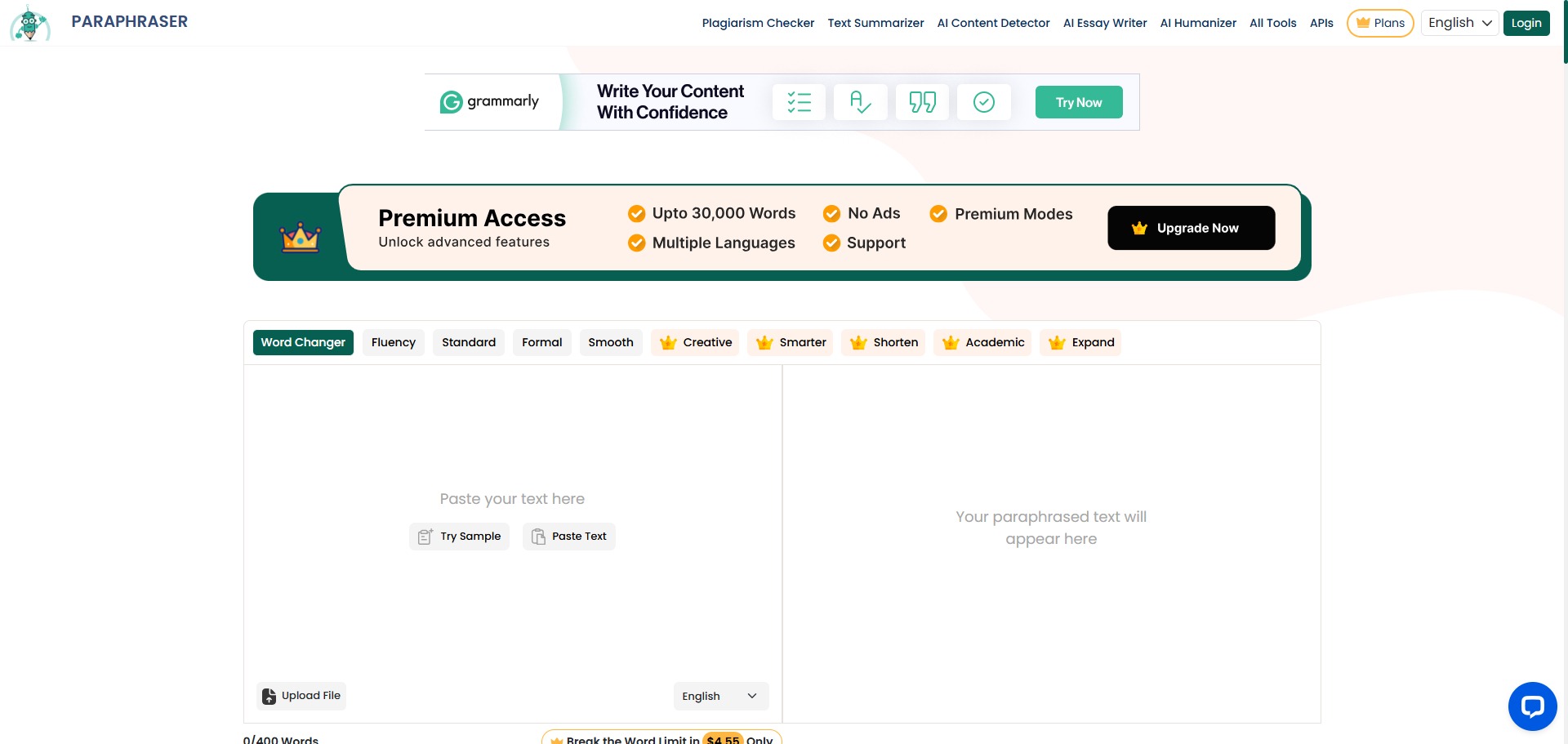
Paraphraser.io is a freemium, web-based linguistic refinement platform and text rewriter engineered to help university students, content marketers, and professional writers rephrase text blocks, clear up vocabulary structures, and bypass rigid phrasing patterns.
Operating as a multi-mode digital editing workspace, Paraphraser.io uses advanced natural language processing models to overhaul written material at the sentence and paragraph level. Rather than deploying old synonym-substitution scripts that distort context, the engine reconstructs sentences fluently, preserving your core conceptual meaning while providing highly readable layout variations.
Recommended
What can you use Paraphraser.io for?
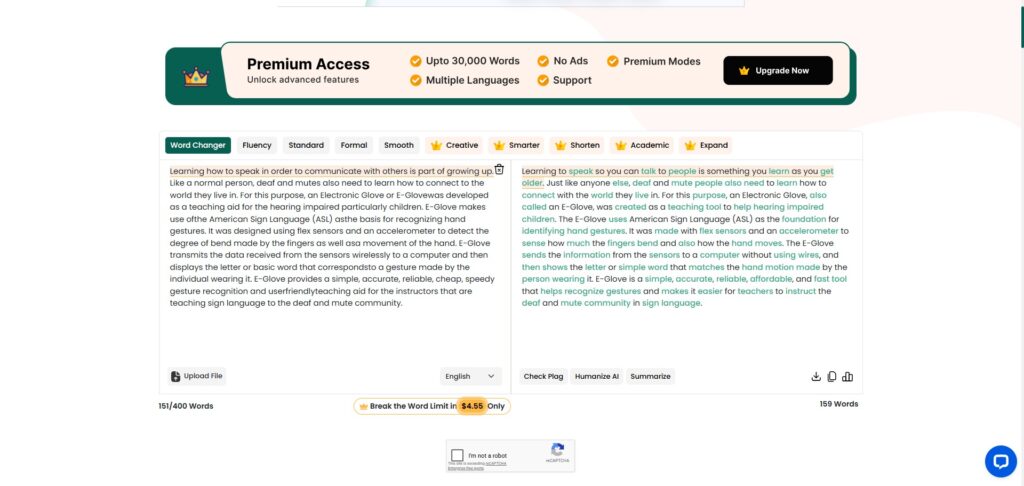
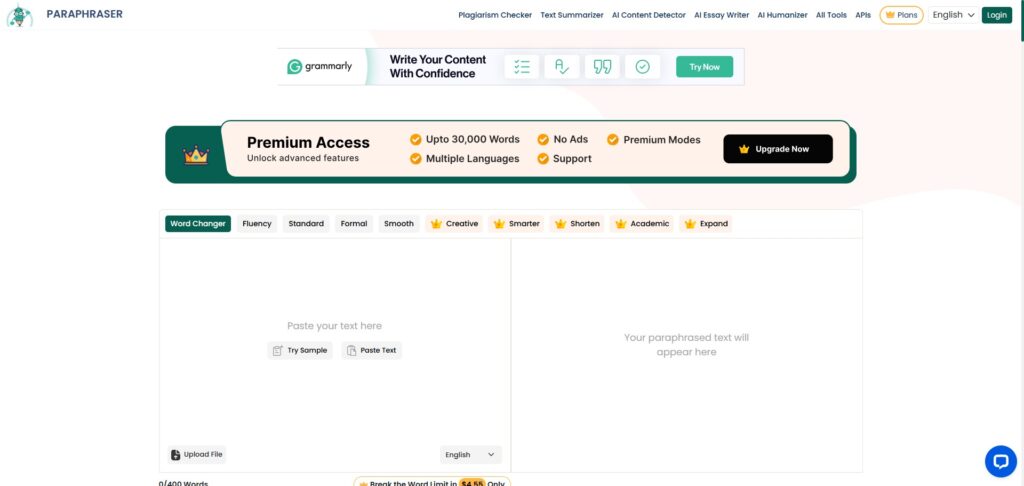
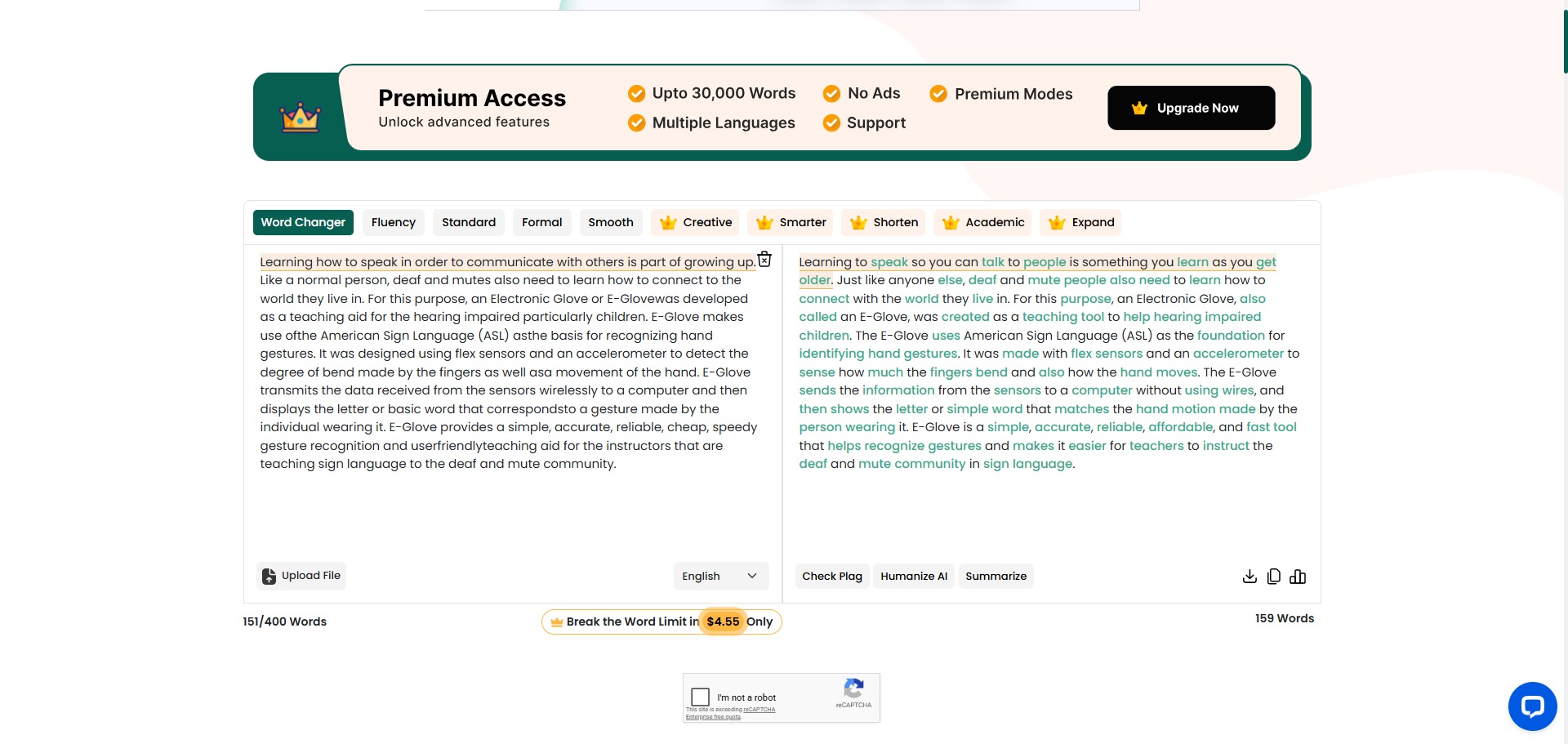
You can use it to reword stiff definitions, improve the structural clarity of complex thoughts, and alter the general tone of your text files instantly. By pasting your drafts into the side-by-side processing frames, you can instruct the script to transform your sentences using a variety of specific stylistic rules.
It also functions as an all-in-one text review desk. The workspace integrates supplementary writing companions, allowing you to run fast plagiarism verification scans, identify grammatical errors, or condense over-lengthy chapters into brief highlights completely within the same tab window.
Who is Paraphraser.io best for?
It is ideal for university students and freelance bloggers who operate on limited budgets and require a fast, accessible platform to polish essays and generate original content options.
It serves as a fantastic resource for international scholars and non-native English speakers who want to check their sentence patterns, improve formatting flow, and discover fresh vocabulary combinations.
Is Paraphraser.io genuinely free?
Yes, Paraphraser.io offers an exceptional free plan tier that is accessible to web visitors without requiring an initial user profile or registration. This unpaid tier delivers a generous processing ceiling of 500 to 600 words per session across three baseline rewriting modes, which easily beats the restrictive limits of major competitors.
To access higher word allowances, unlock advanced settings, and eliminate disruptive advertisement banners, you must buy a premium subscription upgrade. Transitioning to a paid plan removes captcha checkpoints, unlocks advanced Creative and Smarter modes, increases session limits up to 3,000 words, and expands plagiarism checking capacities.
Is Paraphraser.io Premium Worth It?
Yes, but primarily if you are a professional content creator, SEO writer, or high-volume editor managing large-scale documentation queues and requiring long text rephrasing tasks. While the free tier handles quick paragraphs beautifully, its intrusive ad scripts and word caps slow down intensive workflow tracks.
When you should upgrade:
- You require high-capacity text processing: The free tier limits submissions to 600 words. Premium plans expand this allowance up to 3,000 words per session, enabling you to paraphrase full chapters in a single execution.
- You require specialized writing tones: Upgrading unlocks premium text modes like Creative, Academic, and Smarter, which use advanced language rules to build sophisticated sentence structures.
- You run deep plagiarism scanning files: Paid accounts lift structural search constraints on the integrated plagiarism checker, allowing you to scan up to 30,000 words for copy duplications simultaneously.
If you only need a quick helper to rephrase an occasional paragraph or adjust an introduction line, the free tier is incredibly capable. However, for executing continuous writing tasks and eliminating ad interruptions, the premium subscription is a fantastic, low-cost investment.
Should I use Paraphraser.io as a paraphrasing tool?
Yes. It is an excellent, comprehensive tool for discovering scholarly literature, tracing citation networks, and finding accessible versions of research documents across almost every academic discipline.
Because it covers multiple areas of study in one central place, it makes the initial discovery process fast and straightforward. It serves as an essential starting point for any literary search before diving into niche database systems.
Key Features
-
Six specialized text paraphrasing modes
Provides tailored writing settings stretching from Fluency and Standard up to advanced Creative, Academic, and Smarter configurations. -
Industry leading free session word thresholds
Allows anonymous users to process up to 600 words per single request completely free of charge without profile restrictions. -
Integrated multi-file Plagiarism Checker modules
Scans your text blocks against active web indexes to output instant duplication percentages and trace matching source domains. -
Comprehensive multilingual translation support
Enables fluent paragraph paraphrasing and text rewriting across more than twenty international languages, including Spanish, French, and German. -
Direct cloud document attachment upload pipes
Supports direct text extraction from uploaded local file formats, allowing you to pull content straight from standard .doc, .docx, or .pdf files.
Best for
- Paraphrasing short articles and essays under strict budget rules
- Generating alternative phrase choices with large free word caps
- Verifying copy originality using built-in plagiarism tracking
- Rewriting paragraphs across twenty international languages
- Extracting text data directly from uploaded text document files
Pros and Cons
Here are the main advantages and limitations of utilizing Paraphraser.io for sentence restructuring and document rewriting.
Pros
- ✓The free plan has one of the highest word counts available without requiring registration.
- ✓The layout puts the original text and rewritten options side-by-side, making edits simple to check.
- ✓Having translation, grammar checking, and paraphrasing in one place streamlines quick edits.
Cons
- ✗The free interface contains numerous intrusive advertisement scripts that disrupt the user experience.
- ✗Frequent captcha prompts can slow down operations on the unpaid web plan tier.
- ✗Advanced rewrite filters and stylistic modes are completely restricted behind premium payments.
How to Use Paraphraser.io
Follow this quick guide to run your automated text paraphrasing sessions, adjust writing modes, and verify content originality indices.
- Visit the Website and Access the Workspace
Go to the official Paraphraser.io website. You can utilize the interface anonymously right away, or create a free account profile to help save your editing preferences and history over time. - Input Your Text Strings into the Left Panel
Copy your target text paragraphs and paste them directly into the left-side text field box. Alternatively, you can click the upload option to pull text data out of local files like Word documents or PDF files. - Select Your Target Paraphrasing Mode
Inspect the mode selector header located above the entry frames. Choose your preferred writing mode, such as selecting Fluency to improve natural expressions or Standard for basic rewrites, making sure to avoid premium options if on a free profile. - Configure target Language Parameters
If you are translating international content blocks, navigate to the language drop-down setting. Select the target language matching your text to ensure the engine applies correct contextual grammar rules. - Trigger the Rewriting Processing Script
Complete the security captcha checkbox if prompted, and click the main “Paraphrase Now” action button. The natural language processing engine will analyze your input strings and output your fresh variations in the right-hand panel box. - Run Plagiarism and Summary Audits
If you want to check your text further, copy your new sentences and select the secondary utility tabs at the top of the webpage. Open the plagiarism checking panel or text summariser tool to complete a comprehensive final check.
Frequently Asked Questions
Does Paraphraser.io support direct software downloads for local offline computer systems?
No. Paraphraser.io runs its semantic data restructuring and text transformations using deep learning algorithms hosted on external cloud environments. An active internet link is required to transmit text frames and return your output paragraphs.
Will using Paraphraser.io cause my work to get flagged by university plagiarism detectors?
Paraphraser.io reworks sentence structures and switches word order to generate original phrasing arrays. While it helps avoid duplication, it is vital to check that your final text accurately reflects your ideas and credits outside authors properly.
Can I modify individual words in the output text if I dislike a particular alternative choice?
Yes. The interactive output screen highlights altered terms using contrasting colors. You can click on any highlighted word in the completed text block to view a dropdown list of suitable alternatives and swap terms immediately.
What is the purpose of the Academic writing mode available on the platform?
The Academic rewriting configuration uses specialized linguistic rules to turn simple prose into formal research text. This option substitutes common expressions with precise disciplinary vocabulary, which is perfect for drafting reports or theses.
Are my personal paragraphs and document uploads stored on public web databases?
No. Paraphraser.io maintains strict data privacy standards across its editing workspace. The system clears your pasted paragraphs and uploaded document texts from its active cloud processing logs immediately after your session finishes, ensuring your work remains secure.