ZoteroBib is a free, web-based citation generator built to assist students and academic writers in compiling clean reference lists quickly.
Developed by the non-profit team behind the open-source reference manager Zotero, ZoteroBib provides an immediate, web-first alternative to complicated database software. It connects directly with the massive Zotero translation ecosystem, allowing you to convert book identifiers, journal links, and web URLs into perfectly formatted citations in seconds.
Highly Recommended
What can you use ZoteroBib for?
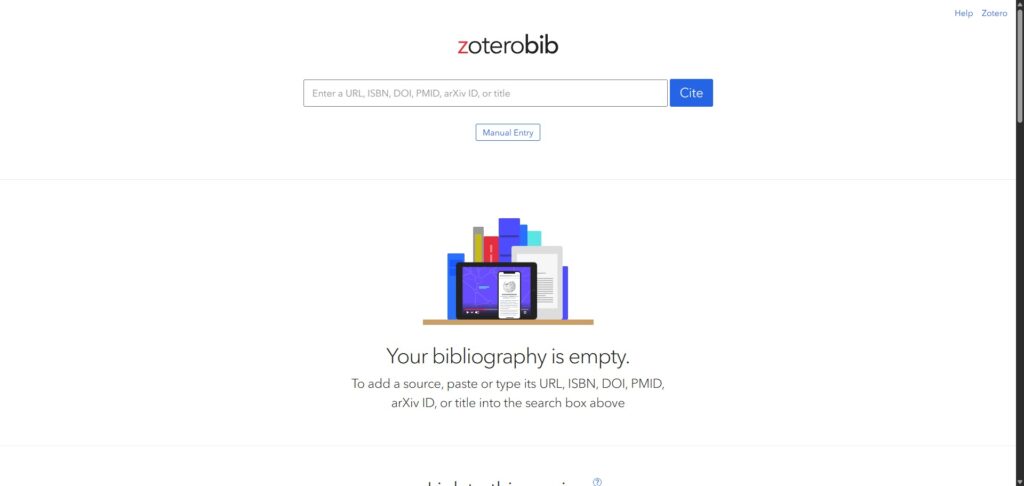
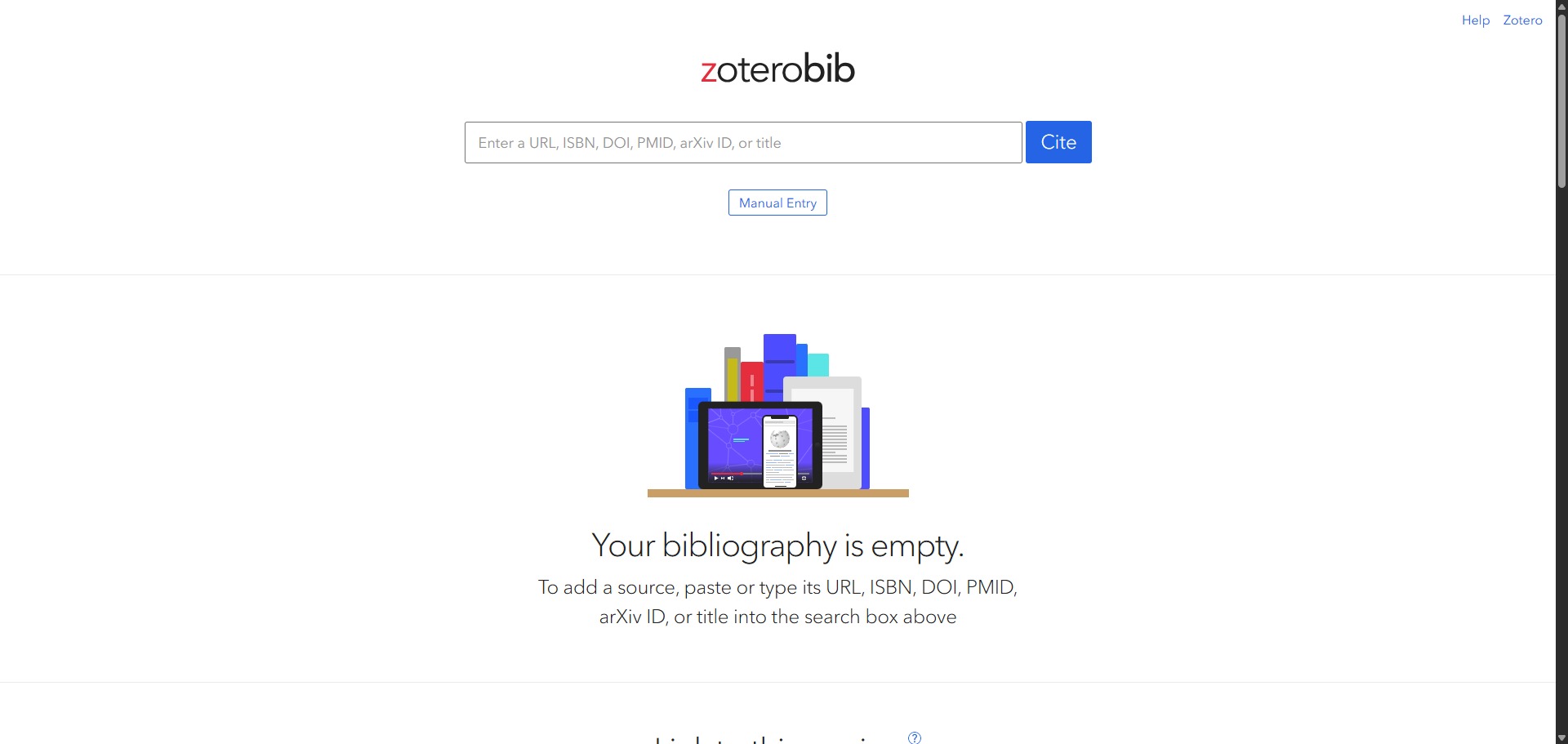
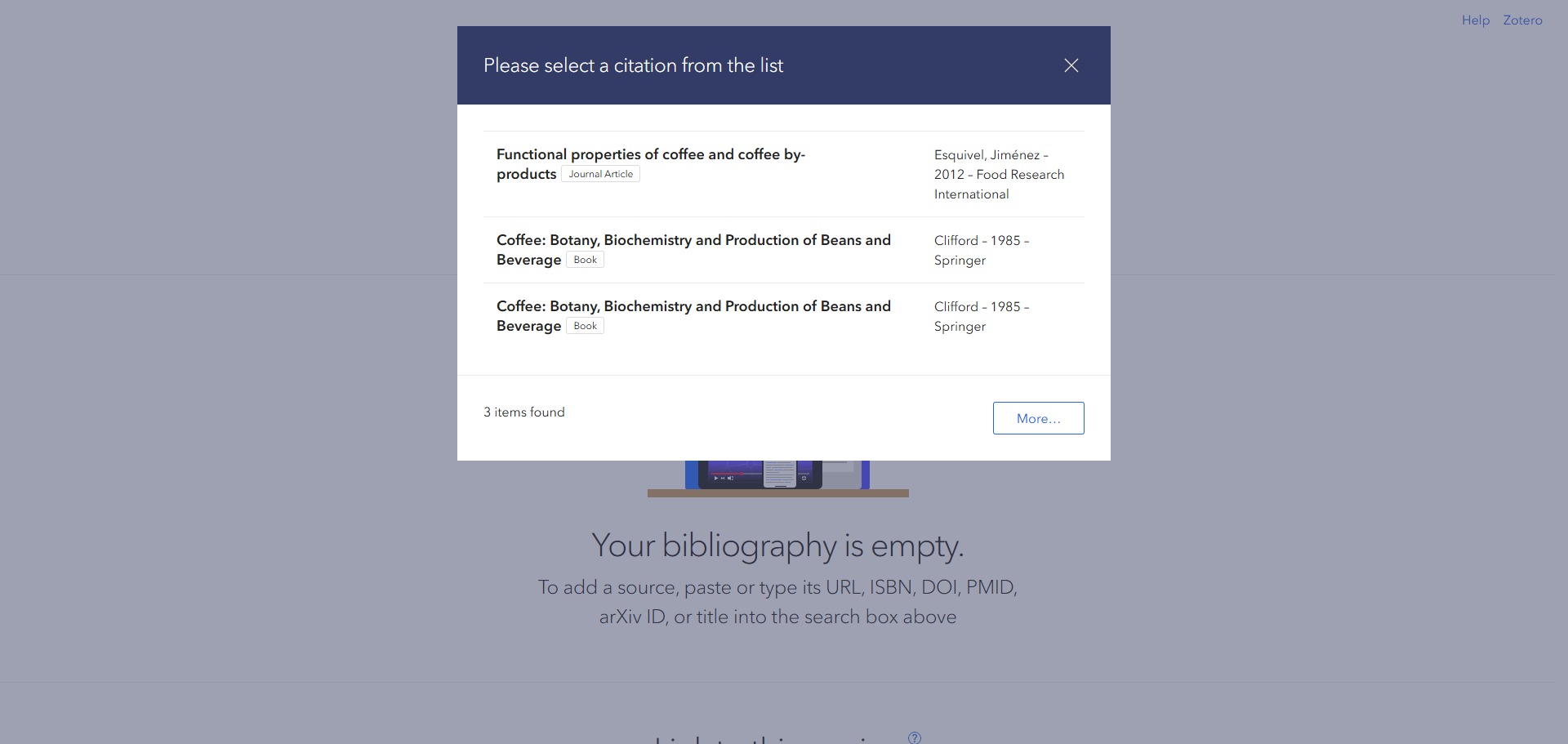
You can use it to build structured lists of works cited, format inline citations, and manage small-scale essay bibliographies entirely within your browser window. By dropping an ISBN, Digital Object Identifier (DOI), arXiv ID, or website link into the main input bar, the system automatically pulls the matching metadata records.
It also functions as a temporary reference locker. It saves your active list using local browser data structures, meaning you can pause your writing session and return later to copy out text blocks or download the reference entries directly into your preferred word processor layout.
Who is ZoteroBib best for?
It is ideal for secondary school pupils, undergraduate university students, and authors drafting quick, short-form papers that do not require the heavyweight filing features of a desktop database application.
It serves as an excellent utility for any researcher who wants the elite accuracy of the Zotero platform without needing to install application files, configure browser extensions, or register a user account.
Is ZoteroBib genuinely free?
Yes. ZoteroBib is entirely free and open-source, operated under public-interest governance by an independent non-profit entity. There are no corporate advertising tracks, hidden payment blocks, premium upgrades, or account limits anywhere on the site.
The platform is funded by the broader Zotero ecosystem and institutional grants, ensuring that individual writers and educational schools never face commercial fees to generate accurate bibliography formats.
Should I use ZoteroBib as a citation generator?
Yes. It is an excellent, comprehensive tool for discovering scholarly literature, tracing citation networks, and finding accessible versions of research documents across almost every academic discipline.
Because it covers multiple areas of study in one central place, it makes the initial discovery process fast and straightforward. It serves as an essential starting point for any literary search before diving into niche database systems.
Key Features
- Over 10,000 citation configurations
Provides instant access to the complete Citation Style Language (CSL) registry, covering APA, MLA, Harvard, Chicago, and niche medical journal guides. - Account-free cloud linking
Generates a unique, private web link for your active bibliography so you can share your source dashboard or view it from another mobile device. - Automatic item modification checks
Allows you to click any generated bibliography item to manually correct errors, input missing pages, or supplement obscure publisher names. - Zero-friction copy-paste workflow
Supplies immediate keyboard shortcut clips for both the full reference layout and the shorthand in-text parenthetical notation. - Robust raw data export tools
Enables swift bibliography downloads in formats optimized for copy-pasting to Google Docs, downloading as an RIS file, or syncing directly into Zotero.
Best for
- Ad-free bibliography creation
- Quick essay reference lists
- Mobile and tablet citation building
- Using precise, niche journal styles
- Bypassing registration forms completely
Pros and Cons
Here are the main advantages and limitations of using ZoteroBib for academic reference management.
Pros
- ✓Completely ad-free platform that does not harvest or track user personal details.
- ✓Pulls reference data from a massive open-source translator engine with high accuracy.
- ✓Supports more specialized academic styles than almost any commercial alternative.
Cons
- ✗Data can be lost if you clear your internet cookies before exporting the bibliography.
- ✗Lacks advanced organizational features like subfolders, custom tags, or attached PDF file lockers.
- ✗Does not include an automated in-browser extension to capture articles instantly as you surf the web.
How to Use ZoteroBib
Follow this quick guide to generate your references, customize your citations, and export your completed bibliography.
- Visit the Website
Go to the official ZoteroBib website. You can begin generating your bibliography immediately from the main landing page without needing to register for an account or sign in. - Choose Your Referencing Style
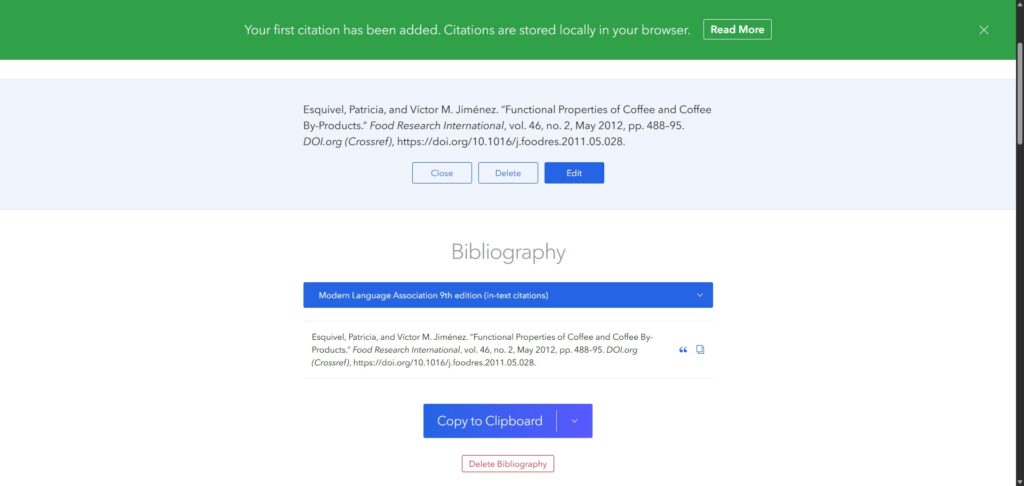
Use the style selection menu to search for your required academic format. Whether you need common styles like APA 7 and MLA 9 or hyper-specific medical journal patterns, you can select them to update your entire list instantly. - Input Your Source Identifiers
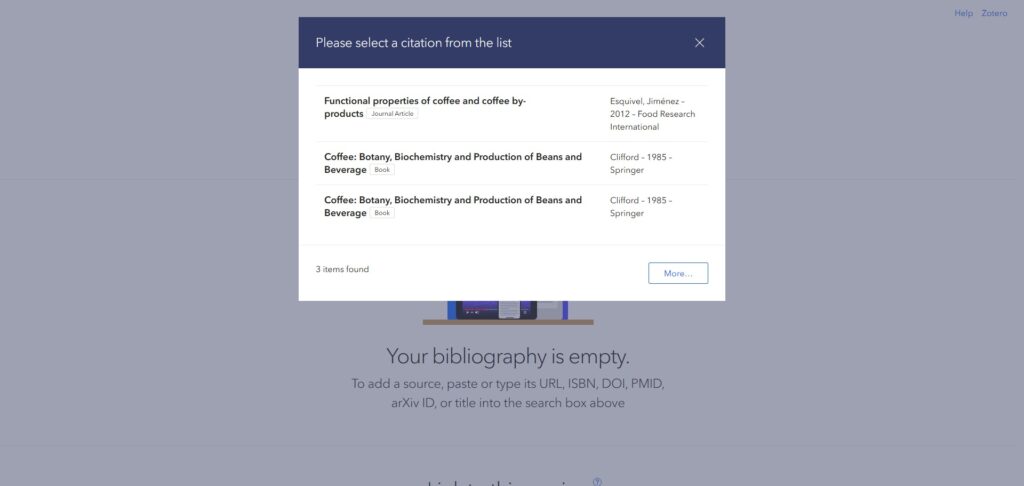
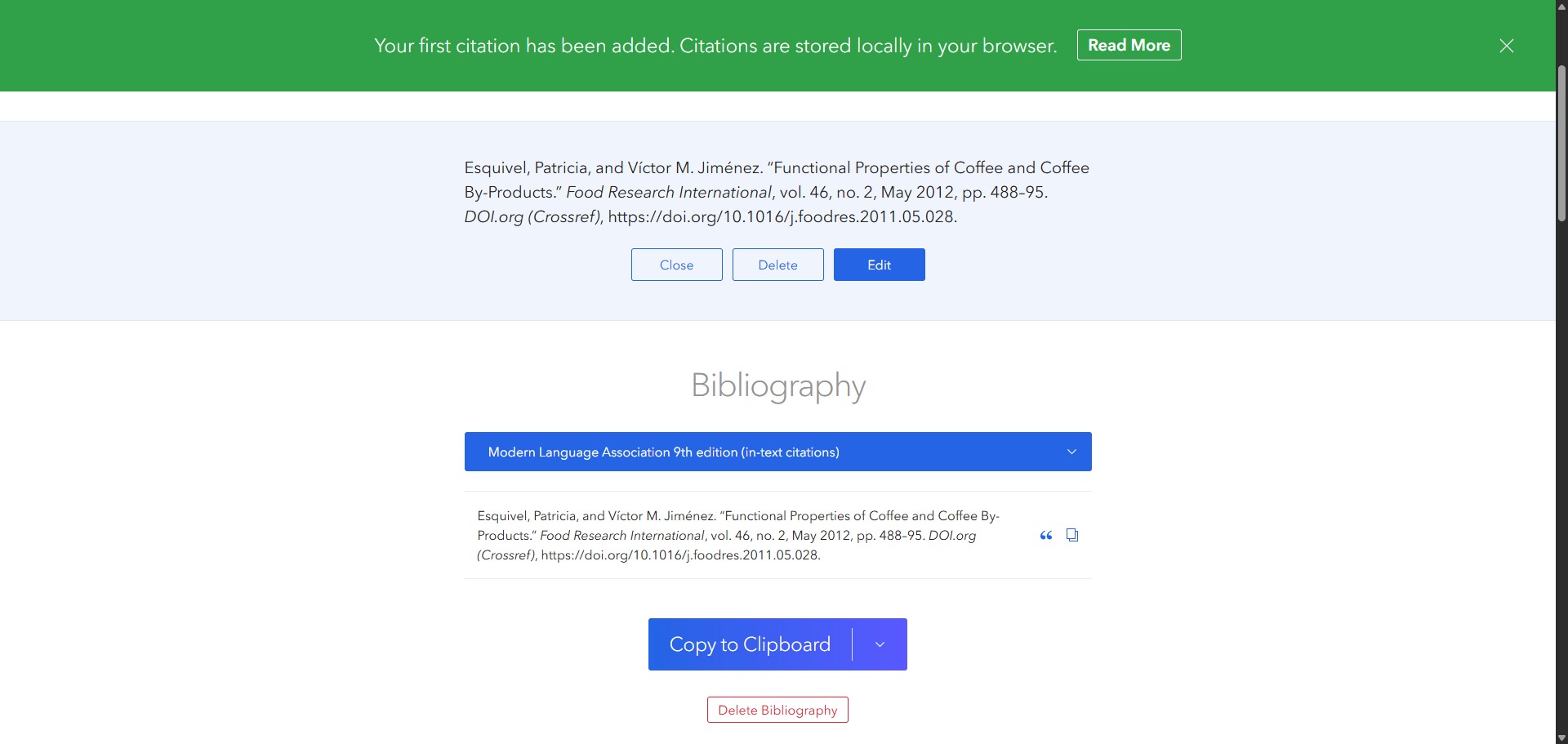
Paste a web address, book ISBN, DOI, or arXiv identifier into the main input bar and hit the cite button. The engine will automatically scan the source and generate a structured citation record. - Modify Individual Citation Items
Click on any item within your list to expand its details. Use the edit fields to correct typos, supplement missing publication years, or manually adjust author names if the automated scrape caught inaccurate metadata. - Copy Your Citations or In-Text Notes
Click on any specific citation row to reveal the options for copying the full bibliography entry or the shorthand inline parenthetical notation. Use these clips to paste your sources directly into your word processor draft. - Export or Save Your Work
Generate a unique sharing link to save your current dashboard view for later. Once finished, use the export button to download your full reference list as a file or copy the complete block to paste into Google Docs or Microsoft Word.
Frequently Asked Questions
What is the primary difference between ZoteroBib and the standard Zotero app?
Zotero is a complete desktop program built for long-term data collection, featuring folder hierarchies, PDF file attachments, and direct word processor integrations. ZoteroBib is a lightweight, single-page web utility made exclusively for generating fast reference lists without installing anything.
Will clearing my browser cache delete my ZoteroBib bibliography?
Yes. Because ZoteroBib holds your active reference files inside local browser storage cookies, clearing your history or running a privacy cleaner will delete your active progress. Always save your unique sharing link or download your RIS text file to protect your citations.
How do I migrate my citation lists from ZoteroBib to a full Zotero library?
You can select the “Export” button located at the base of your bibliography panel and download the file as a Zotero RDF or BibTeX package. Opening that downloaded file inside the full Zotero desktop software will immediately populate your reference database collections.
Can I collaborate with a classmate using a shared ZoteroBib link?
Yes, but with limitations. When you click the “Link to this version” option, it generates a static, read-only view of your current bibliography. Your teammate can view and copy your sources, but they cannot edit your active working dashboard directly unless you combine files.
How does ZoteroBib extract metadata from a simple web address link?
The platform runs web scraping systems known as translation scripts. These scripts read hidden semantic data blocks inside a web page’s code structure, pulling out information such as the publisher name, article title, date stamps, and author lists automatically.