MyBib is a free, modern citation generator designed to help students and academic writers create accurate bibliographies automatically.
Launched as an independent alternative to clunky, ad-heavy corporate platforms, MyBib indexes over 9,000 distinct citation style configurations. The platform allows you to quickly turn web pages, books, scientific journals, and digital PDFs into perfectly structured academic references matching global university standards.
Highly Recommended
What can you use MyBib for?
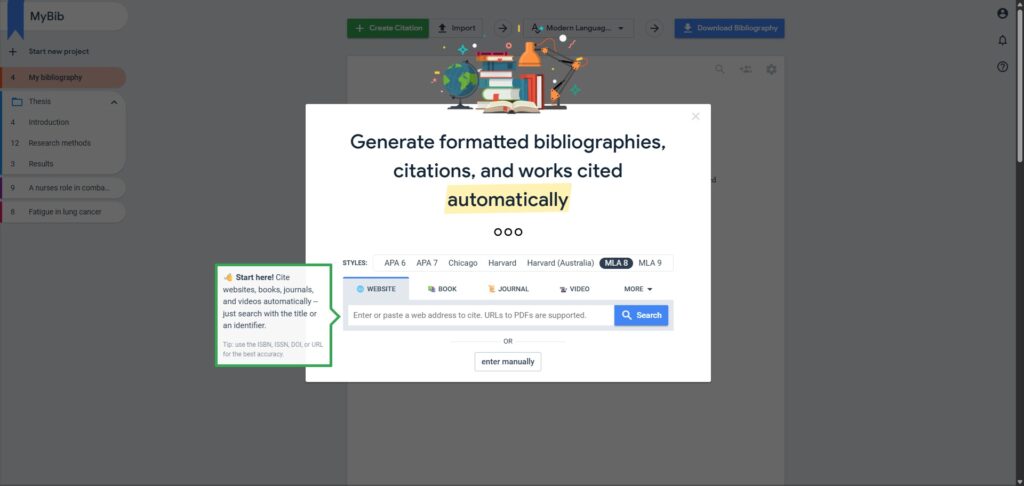
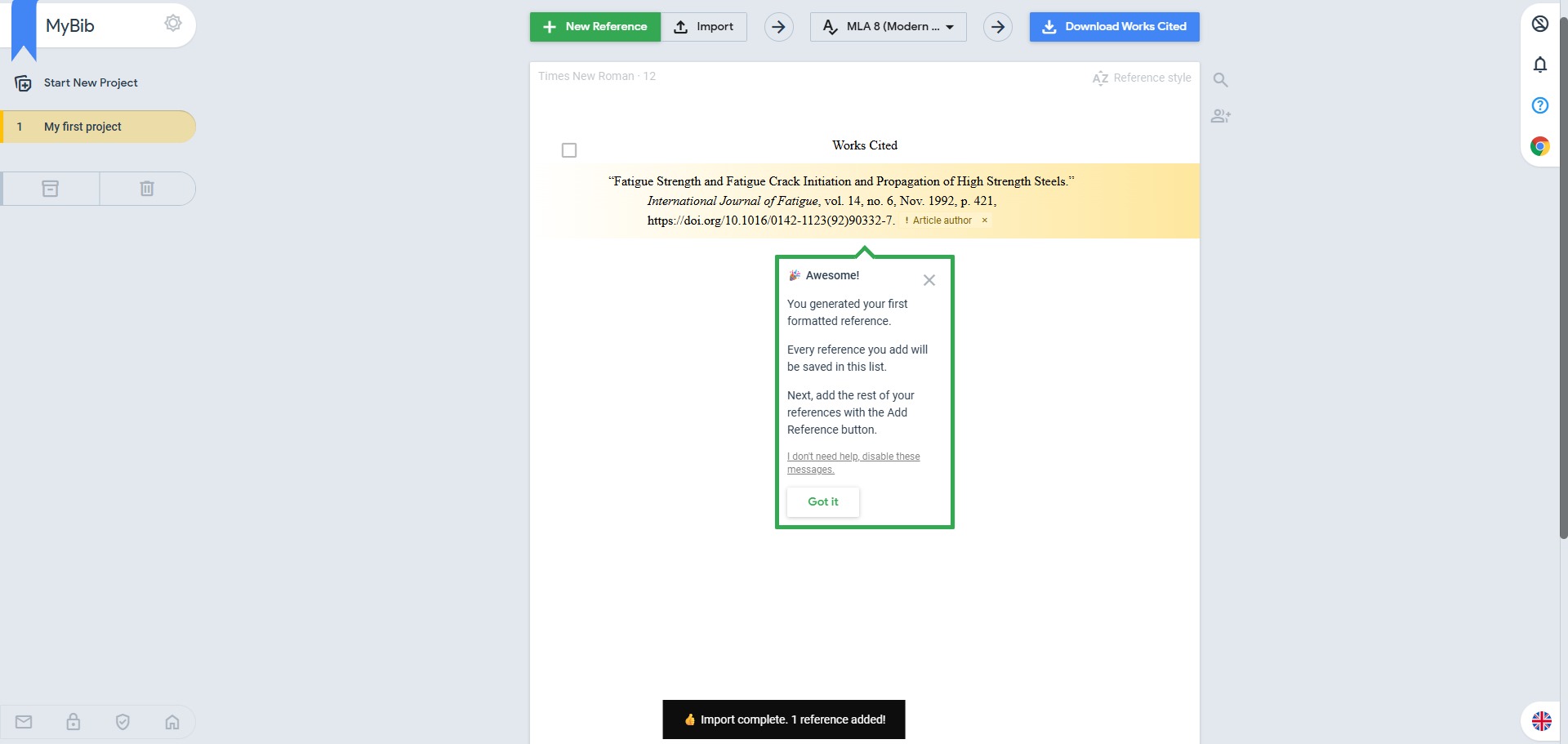
You can use it to build complete works cited pages, organize research papers into structured project folders, and create accurate in-text citations. By pasting an identifier such as a book ISBN, digital object identifier (DOI), or website URL, the system automatically scrapes the internet to extract missing publication metrics.
It also functions as a central reference organizer. Once your bibliography is compiled, you can instantly export the entire document block into text format, download it straight into Microsoft Word, or sync the bibliography framework directly with your Google Drive account.
Who is MyBib best for?
It is ideal for school pupils, undergraduate university students, and postgraduate writers who need to format complex resource logs without spending hours manually typing out punctuation patterns.
It serves as an excellent resource for anyone who feels overwhelmed by heavy reference management software and requires an immediate, accessible browser tool to finalize their assignments.
Is MyBib genuinely free?
Yes. MyBib is entirely free to access, search, and use for generating citation data. There are no premium account tiers, hidden formatting subscriptions, or daily limits placed on the system.
Unlike old legacy layout engines that force you to watch video ads to download a bibliography, MyBib is community-driven and stays free by utilizing minimal, anonymous backend data indexing without disrupting your user experience.
Should I use MyBib as a citation generator?
Yes. It is an excellent, comprehensive tool for discovering scholarly literature, tracing citation networks, and finding accessible versions of research documents across almost every academic discipline.
Because it covers multiple areas of study in one central place, it makes the initial discovery process fast and straightforward. It serves as an essential starting point for any literary search before diving into niche database systems.
Key Features
- Extensive multi-style database
Supports over 9,000 distinct style settings, including APA 7, MLA 9, Harvard, Chicago, and custom regional university guidelines. - One-click browser extension
Allows you to automatically capture website metadata and generate a complete reference record directly through a Chrome browser module. - Smart multi-source auto-cite
Instantly identifies essential publication markers from videos, podcasts, physical books, maps, and online legal briefs. - Collaborative project workspaces
Enables multiple group members to log into a single shared folder to build out team bibliographies for collaborative research papers. - Integrated reference parent manager link
Provides quick conversion pathways to download lists as BibTeX files or export database entries seamlessly into Zotero and Mendeley.
Best for
- Creating ad-free bibliographies
- Automating APA, MLA, and Harvard formats
- Collaborative student group work
- Fast website and PDF sourcing
- Bypassing premium subscription gates
Pros and Cons
Here are the main advantages and limitations of using MyBib for academic research layouts.
Pros
- ✓Entirely free to use with no disruptive video ads or flashing banner layouts.
- ✓Auto-cite engine fills out complex metadata gaps from web links automatically.
- ✓Allows you to manage multiple separate essays via clean project folders.
Cons
- ✗Requires a stable web connection, as it does not include an offline desktop application.
- ✗The automatic scraping tool can sometimes misread website authors on uniquely structured blogs.
- ✗Lacks advanced PDF note-taking and deep in-document highlighting tools found in premium setups.
How to Use MyBib
Follow this quick guide to set up your project workspace, build your bibliography, and export your citations.
-
Visit the Website and Sign Up
Go to the official MyBib website. While you can build bibliographies as a guest, signing up for a free account is recommended to ensure your project data syncs securely to the cloud and is not lost if your browser cache clears. -
Create a New Project Folder
Once logged in, click the button to start a new project. Give your folder a descriptive name, such as your specific essay title or module subject, to keep your different academic assignments organized. -
Select Your Referencing Style
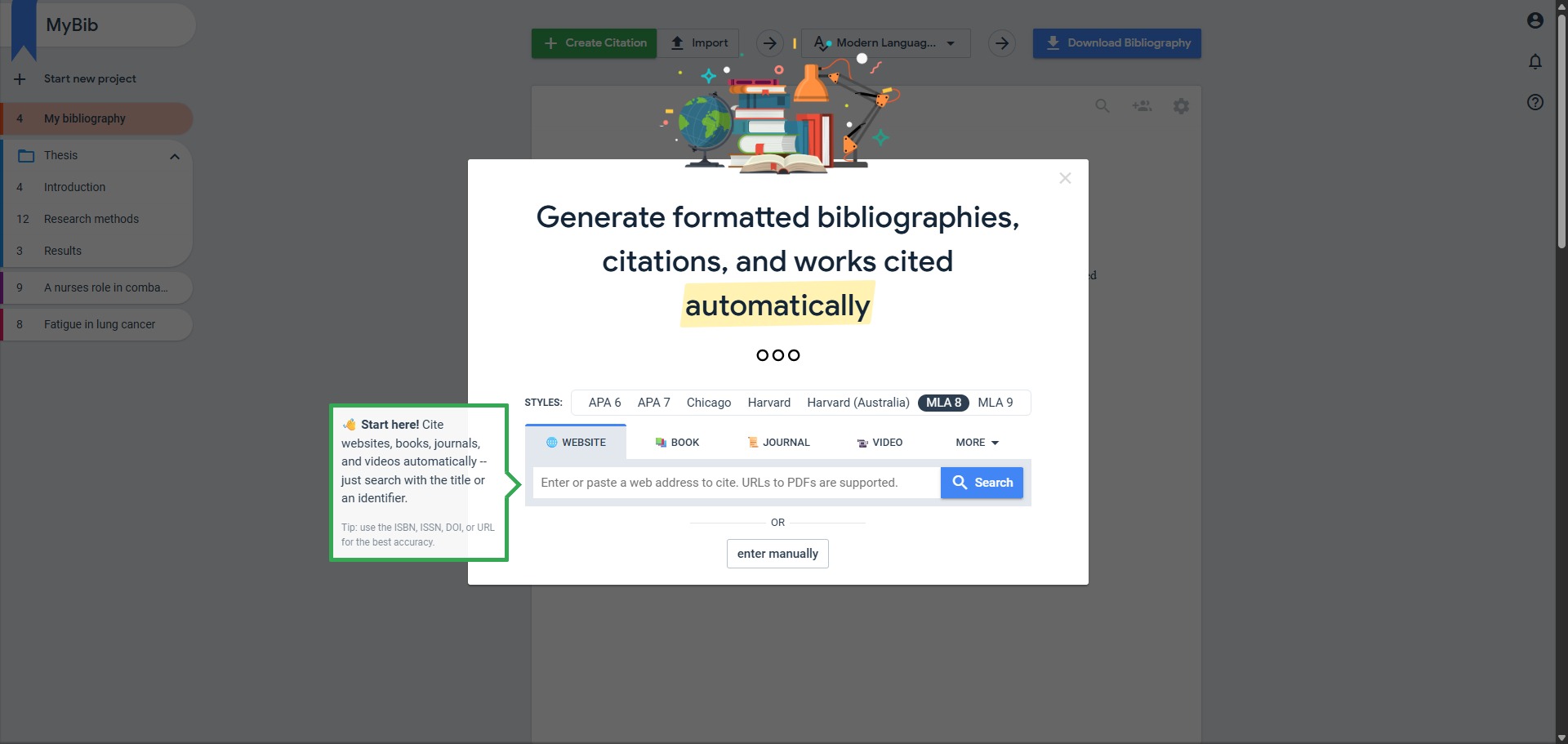
Choose your required formatting guideline from the style selection menu. You can search for standard patterns like APA 7, MLA 9, or Harvard, or type in the specific name of your university if they provide custom style adaptations. -
Add Your Research Sources
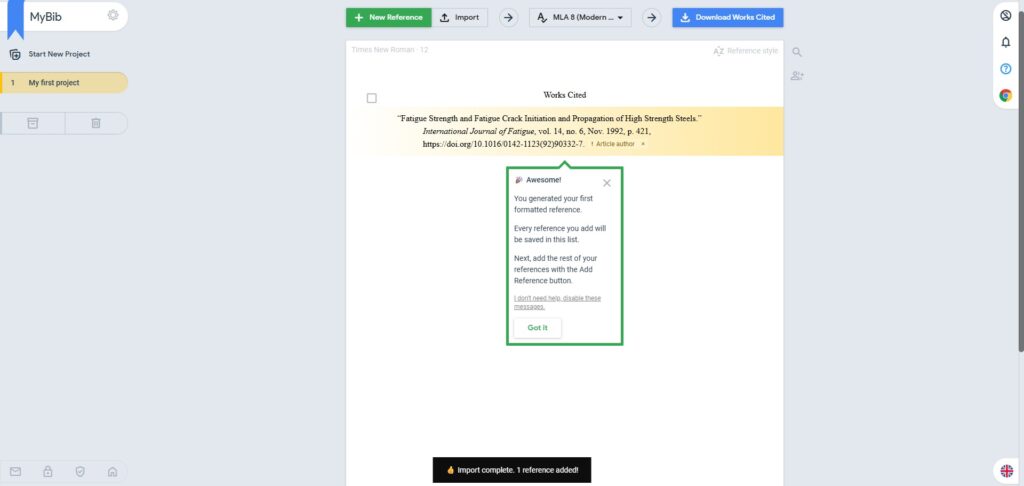
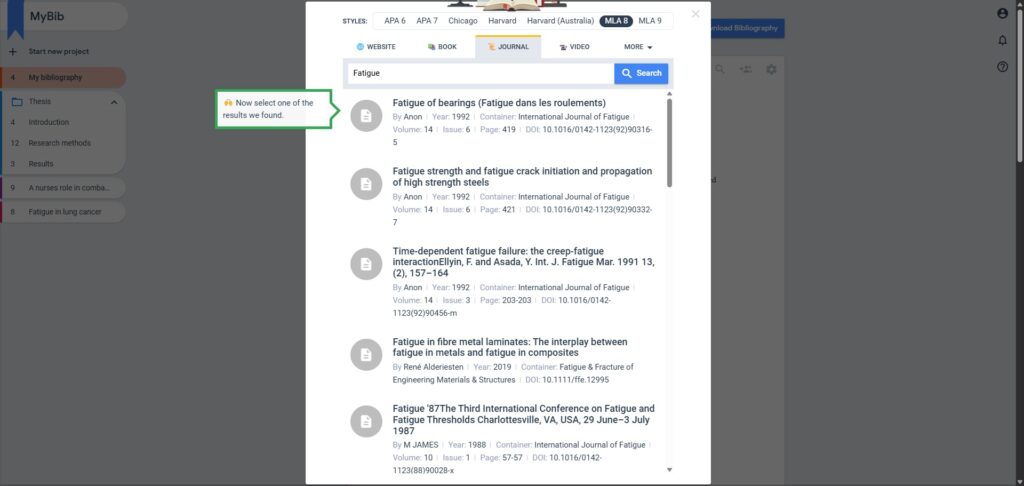
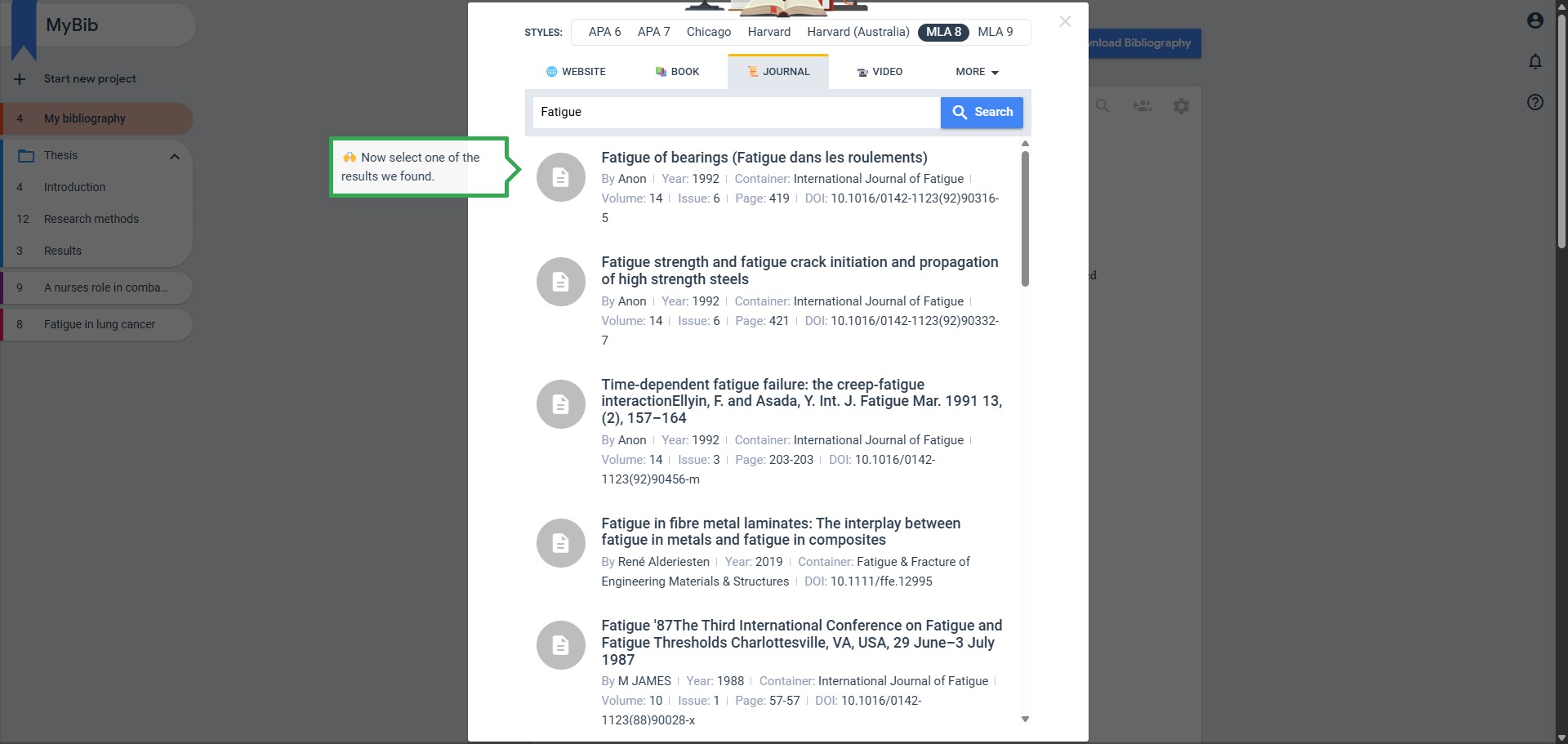
Click the button to add a reference and type your source identifier into the search bar. Use a website URL, a book ISBN, or a journal DOI to prompt the automated system to scrape the metadata and build your entry instantly. -
Review and Finalise Your Entries
Examine the auto-generated reference cards to verify the metadata accuracy. If any fields are empty or incorrect, click the edit icon to manually input missing publisher details, page numbers, or author initials. -
Copy or Export Your Bibliography
Use the copy button to transfer your full, alphabetically sorted bibliography list directly into your document. Alternatively, select the export option to download your list as a file or sync your references straight into your Google Drive account.
Frequently Asked Questions
How accurate is the automatic citation engine on MyBib?
The accuracy is exceptionally high because MyBib pulls directly from official metadata registers like Crossref and Open Library. However, you must always double-check the final author capitalization and date fields, as poorly configured website tags can occasionally pass raw errors into the text blocks.
Can I use MyBib to create in-text parenthetical citations?
Yes. When you generate a reference profile, the platform displays both the full bibliographic entry for your works cited page and the short parenthetical form. You can adjust the specific page numbers in the dashboard to make copying inline text blocks swift and painless.
Will my saved bibliographies disappear if I close the browser tab?
If you use the platform as a guest, your bibliographies are cached safely within your local browser cookies. However, clearing your internet cache will erase that data. To protect your work long-term, it is best to create a free account so your projects sync securely to the cloud database.
Does MyBib support custom formatting options for specific universities?
Yes. The platform indexes thousands of institutional adaptations of standard styles, such as university-specific versions of Harvard or APA formatting. You can search for the specific name of your educational institution directly inside the style selection settings layout.
How do I add a physical book to MyBib if I do not have a web link?
You can utilize the search field to enter the title of the book, or simply input the 10-digit or 13-digit ISBN found on the back cover. If the book is a rare edition missing from the internet register, the interface allows you to enter the publisher, city, and editor details manually using a guided form.