EasyBib is a freemium citation generator and information literacy platform designed to help students organize their research sources and format bibliographies correctly.
Established in 2001 and subsequently acquired by Chegg, EasyBib indexes thousands of distinct citation formats. The application uses automated data scraping to convert website links, physical book barcodes, and journal codes into structured bibliography entries that match contemporary academic guidelines.
Recommended
What can you use EasyBib for?
You can use it to build structured works cited lists, compile in-text parenthetical citations, and generate clean title pages for school assignments. By inputting an identifier like an ISBN or web address, the tool interrogates global library systems to extract publication metrics automatically.
It also functions as an automated proofreading editor. Subscribers can submit entire draft documents into the dashboard to check sentence structures, evaluate spelling consistency, and identify missing source links before completing an assignment.
Who is EasyBib best for?
It is ideal for high school pupils and introductory university students who work almost exclusively with the Modern Language Association (MLA) format and need a simple interface to list standard text sources.
It serves as a functional tool for casual writers who want quick, browser-based entry fields without committing to complex, multi-layered reference management databases.
Is EasyBib genuinely free?
No. EasyBib operates on a highly compartmentalised freemium model. Unpaid users can only build references using the default MLA style, and you are required to watch timed video advertisements to keep using the basic tools during a session.
To remove the disruptive on-screen video ads, unlock over 7,000 advanced citation styles (including APA 7, Harvard, and Chicago), run deep plagiarism similarity scans, and download citations as structured Word documents, you must purchase an EasyBib Plus monthly subscription.
Is EasyBib Plus Worth It?
Yes, but primarily if you need to use formatting styles other than MLA. The free version restricts your choices strictly to default MLA formatting and displays multiple full-screen advertisements. Upgrading to an EasyBib Plus plan is highly beneficial for university postgraduates, doctoral candidates, and researchers who regularly use APA or Chicago style rules.
When you should upgrade:
- You use advanced citation styles: The free tier blocks common academic guidelines. Upgrading unlocks over 7,000 reference options, including full APA 7, Harvard, and Chicago formatting tracks.
- You want to block video advertisements: Paid subscriptions eliminate the repetitive, timed video ads that you are forced to watch on the free tier to download your bibliography lists.
- You need deeper document checks: Upgrading gives you full access to advanced proofreading utilities, including an automated writing tutor panel and a copy-paste similarity tracker to check text for plagiarism.
If you are a high school pupil or an early undergraduate only writing brief papers that require standard MLA references, the free version handles your needs beautifully. However, if you are organizing a complex master’s thesis or compiling an extensive multi-format bibliography, the premium upgrade saves you from considerable ad disruption.
Should I use EasyBib as a citation generator?
Yes. It is an excellent, comprehensive tool for discovering scholarly literature, tracing citation networks, and finding accessible versions of research documents across almost every academic discipline.
Because it covers multiple areas of study in one central place, it makes the initial discovery process fast and straightforward. It serves as an essential starting point for any literary search before diving into niche database systems.
Key Features
- Automated WorldCat database integration
Connects directly with major global database archives to gather metadata from physical volumes and academic monographs instantly. - EasyBib Plus writing tutor panel
Evaluates uploaded text documents for clarity errors, structural punctuation mistakes, and sentence flow optimizations. - Integrated copy-paste similarity tracker
Utilizes modern text-matching algorithms to check essays against billions of online records to prevent unintentional plagiarism. - Comprehensive citation style library
Provides access to thousands of traditional and journal-specific formatting options for users on premium account structures. - Real-time browser extension helper
An optional Google Chrome add-on that extracts website metadata dynamically as you browse, speeding up internet source compilation.
Best for
- Fast MLA bibliography creation
- Sourcing physical books via ISBN
- Basic online assignment referencing
- Simultaneous proofreading and citation tracking
- Guided manual data input
Pros and Cons
Here are the main advantages and limitations of using EasyBib for academic reference management.
Pros
- ✓Highly accurate book extraction powered by trusted library networks like WorldCat.
- ✓The step-by-step manual form is perfect for entering obscure media types like physical artwork or interviews.
- ✓Combines spelling evaluations and reference building into a single dashboard window.
Cons
- ✗The free tier forces you to watch repetitive, full-screen video ads to download your work.
- ✗Essential academic styles like APA and Chicago are completely blocked behind a premium paywall.
- ✗Browser-cached bibliographies on the free tier can be fragile and disappear if cookies clear.
How to Use EasyBib
Follow this quick guide to enter your research sources and generate formatted academic bibliographies.
-
Visit the Website and Select Your Style
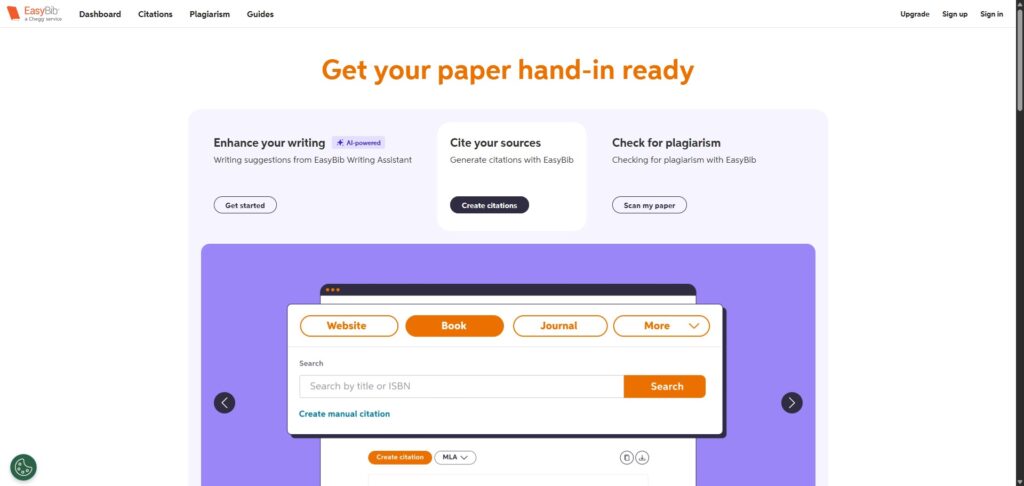
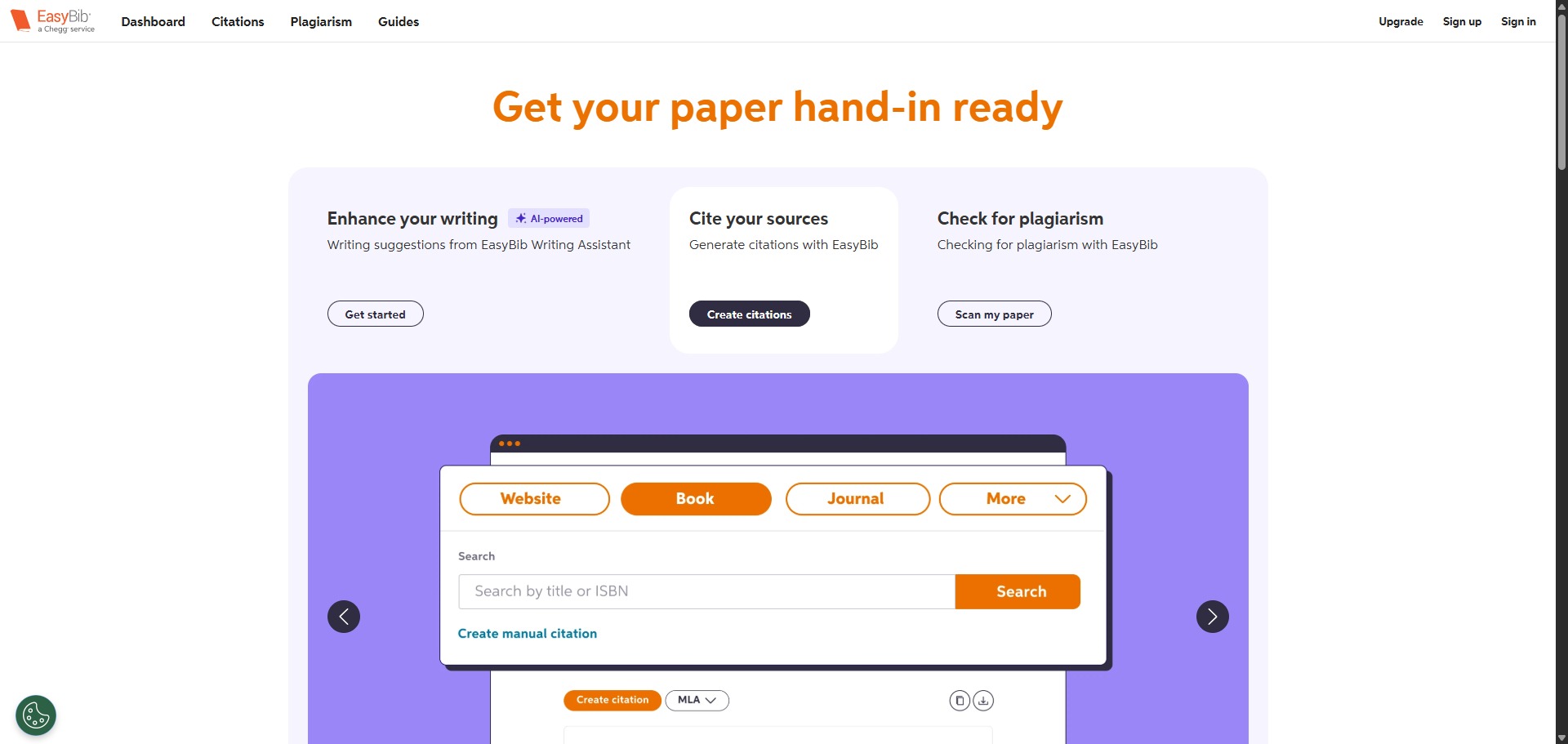
Go to the official EasyBib website. Set up a free profile if you want to store your lists, and select your target formatting option from the main dashboard area (note that free profiles default to MLA formatting). -
Choose Your Source Type
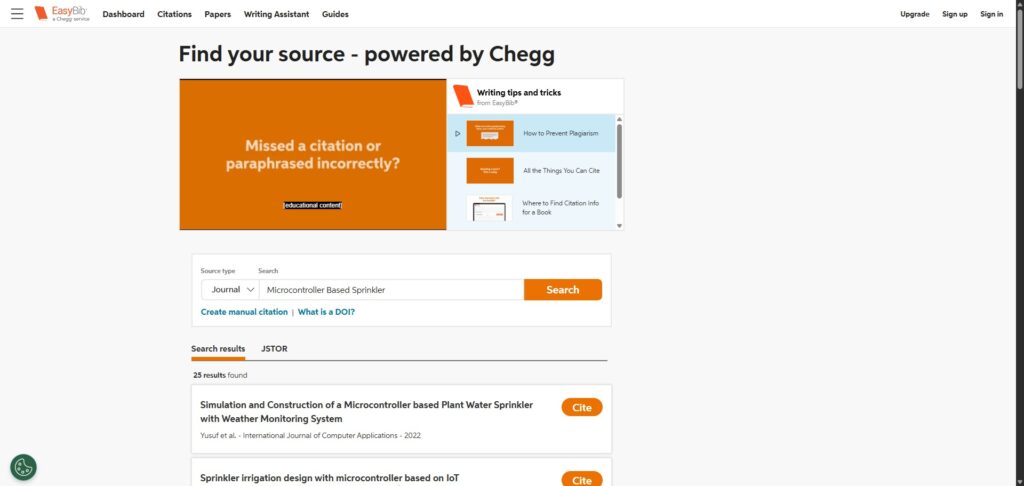
Select the appropriate category tab matching the item you want to reference. Choose from common options like Website, Book, or Journal Article, or click the expanded menu to view obscure media choices like interviews or artwork. -
Input Your Source Identifiers
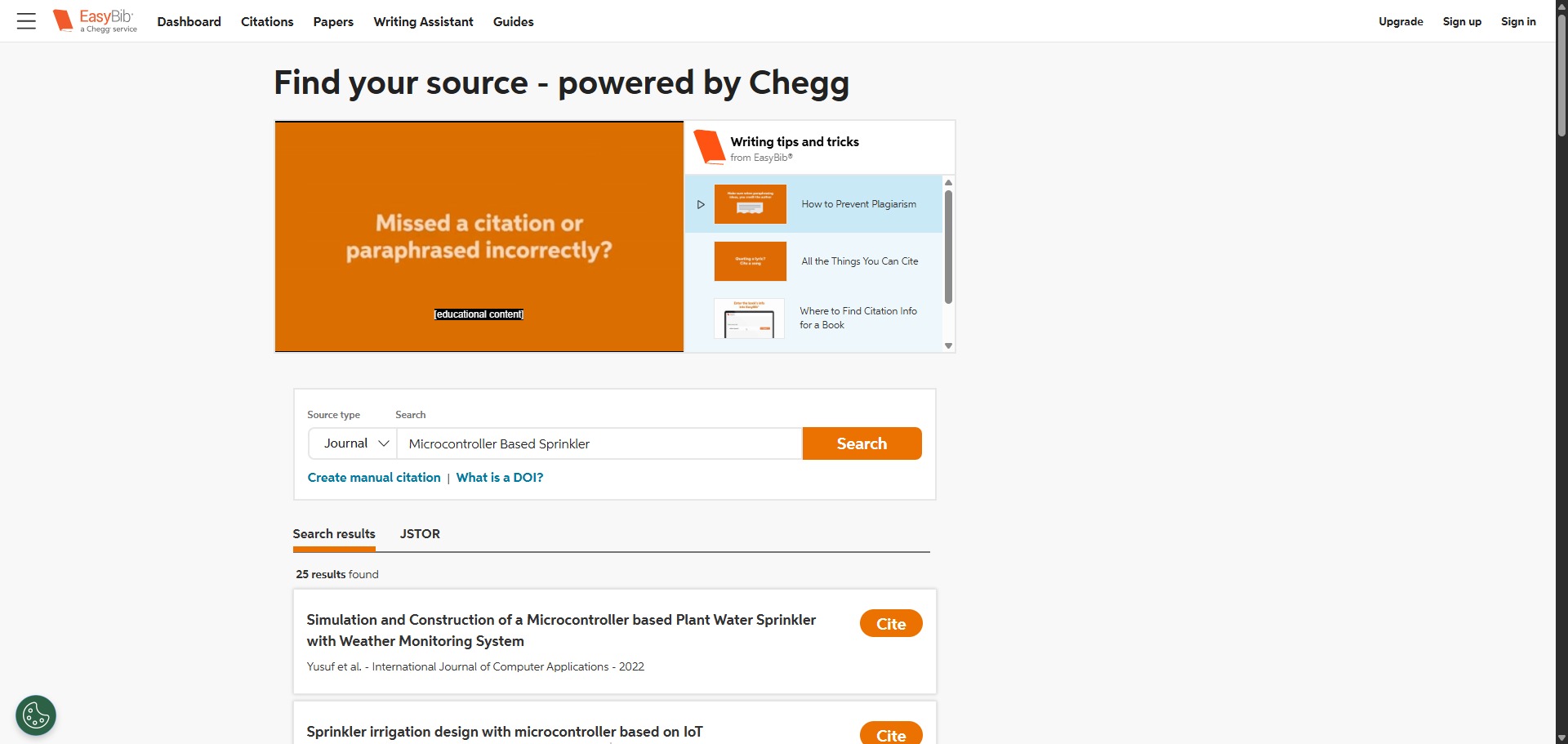
Type or paste your source credentials into the central search bar. You can enter website URLs, book ISBN codes, or journal DOI indicators, then click the cite button to prompt the engine to scrape the global database. -
Review and Edit Gathered Metadata
Examine the intermediate summary information pulled by the automated crawler. Click the manual edit toggle if you need to correct missing author names, fill in publication dates, or retype broken webpage titles. -
Create and Finalise the Citation
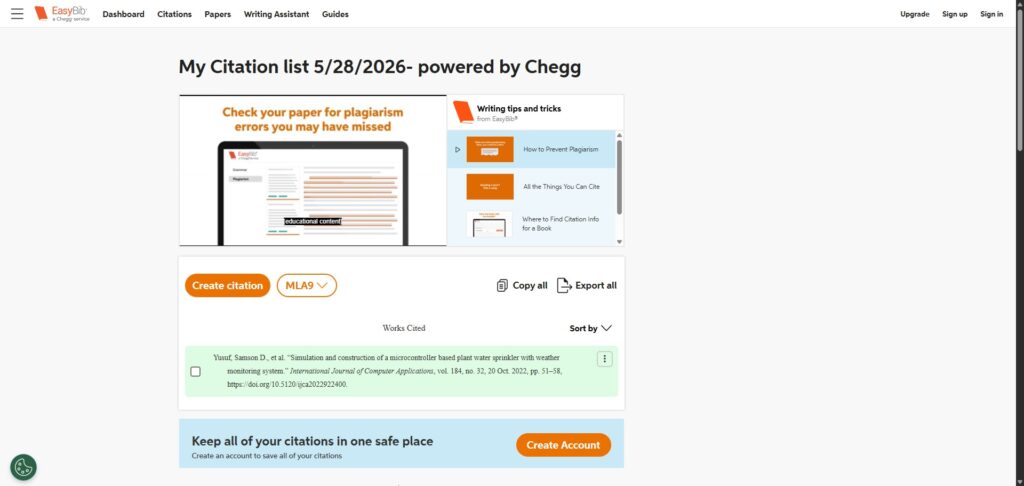
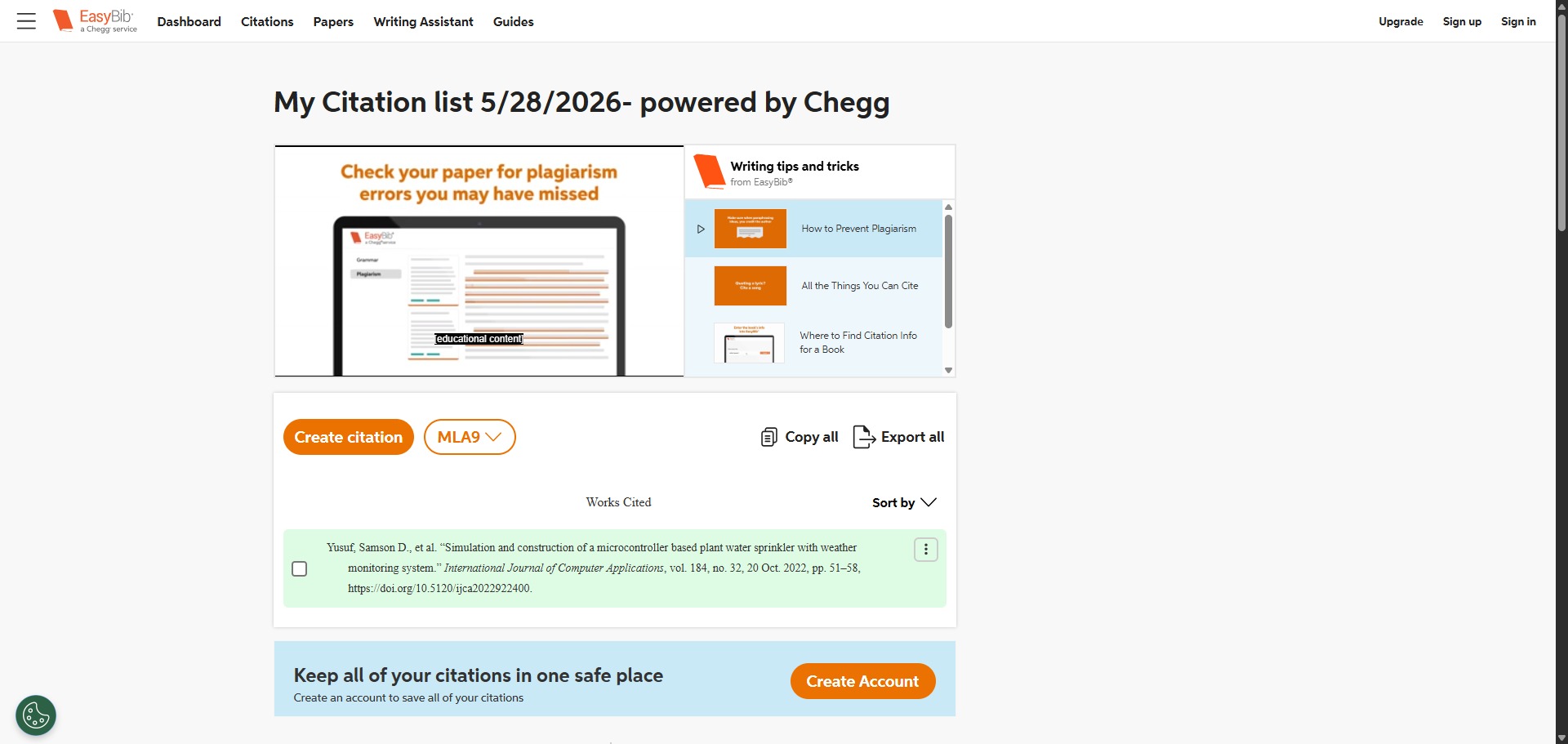
Click the complete citation button to add the formatted reference row directly into your active bibliography project list. If you are using a free account, you may need to view a promotional video clip to finish this step. -
Export Your Completed Bibliography
Review your complete, alphabetically sorted list of references once your research tasks are finished. Click the export option at the top of the pane to download your bibliography into a Word document or copy the text entries.
Frequently Asked Questions
Why does EasyBib make me watch a video advertisement before I can download my citation?
If you are utilizing the free account tier, EasyBib requires ad-revenue to sustain its automated server infrastructure. You must view an entire promotional video block to unlock full access to the citation download utilities for a set period.
Can EasyBib help me format footnotes for a Chicago style paper?
Yes, but this feature is restricted. While EasyBib possesses the technical code rules to build Chicago style full notes, shortened notes, and bibliography lines, you must possess an active EasyBib Plus monthly subscription to use them.
How do I fix a citation if the auto-cite engine pulls incorrect website data?
After the system scrapes a web address, it displays an intermediate summary page. You can click the manual edit toggle to adjust missing author names, modify date stamps, or retype incorrect webpage titles before locking the item into your reference list.
Does EasyBib offer an automated bibliography download for Google Docs?
Yes. Through the premium Chegg integration workspace, paid account holders can export their finalized reference blocks directly into a Google Document layout or download a pre-formatted Microsoft Word file.
What is the difference between EasyBib and Citation Machine?
Both tools belong to Chegg and use the same underlying reference generation rules and pricing structures. The primary difference is the visual interface design and historical user layout, though the citation quality remains identical across both domains.